Skip to content
View in the app

A better way to browse. Learn more.

DoniaWeB

A full-screen app on your home screen with push notifications, badges and more.

To install this app on iOS and iPadOS
  1. Tap the Share icon in Safari
  2. Scroll the menu and tap Add to Home Screen.
  3. Tap Add in the top-right corner.
To install this app on Android
  1. Tap the 3-dot menu (⋮) in the top-right corner of the browser.
  2. Tap Add to Home screen or Install app.
  3. Confirm by tapping Install.
     

Duewin and aviator game source code free download 3.0.0

(2 reviews)

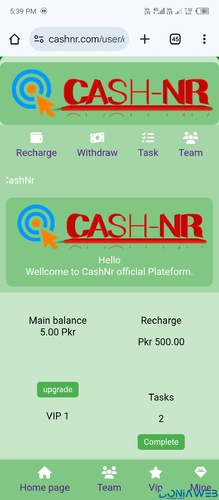
1 Screenshot

Duewin game source code download for free unlimited use

Support almost all games with API aviator wingo k3 juli and others

User Feedback

Recommended Comments

Pinar

Members

This script is useless, the frontend uses .html file which doesn't load properly!

Web Editor

Members

(edited)

@Pinar Don’t blame this script if you don’t know how to install it.

It requires proper installation—you have to configure 30+ files, including changing database configuration links. No website works without HTML; the frontend is built with HTML + Vue.js, and the backend is developed in PHP.

And it requires super fast web hosting even VPs hosting is best option for running this script to work properly

So please first learn how to install it and configure the database, then come back and comment. Or watch a setup tutorial on YouTube and follow that.

Edited by Web Editor

Pinar

Members

(edited)

On 3/31/2026 at 1:40 AM, Web Editor said:

@Pinar Don’t blame this script if you don’t know how to install it.

It requires proper installation—you have to configure 30+ files, including changing database configuration links. No website works without HTML; the frontend is built with HTML + Vue.js, and the backend is developed in PHP.

And it requires super fast web hosting even VPs hosting is best option for running this script to work properly

So please first learn how to install it and configure the database, then come back and comment. Or watch a setup tutorial on YouTube and follow that.

What make you think I don't know how to Install? By the way you knew of all configuration of 30+ file why didn't you configure them before posting? Even the demo YouTube video you provided was only marketing the script, it's not actually a real demo link where we can access the full feature as you claimed...

Well Do you know what I think about people who post incomplete scripts on doniaweb? It's a marketing strategy for them, they purposely remove some important files from any code before posting it just so people who don't know how to install will have to contact them outside doniaweb.

Admin @Mahmoud should ban you all, for using this strategy to violate the doniaweb policies.

Edited by Pinar

Web Editor

Members

(edited)

25 minutes ago, Pinar said:

What make you think I don't know how to Install? By the way you knew of all configuration of 30+ file why didn't you configure them before posting? Even the demo YouTube video you provided was only marketing the script, it's not actually a real demo link where we can access the full feature as you claimed...

Well Do you know what I think about people who post incomplete scripts on doniaweb? It's a marketing strategy for them, they purposely remove some important files from any code before posting it just so people who don't know how to install will have to contact them outside doniaweb.

Admin @Mahmoud should ban you all, for using this strategy to violate the doniaweb policies.

@Pinar I think there’s a bit of confusion here.

The files I uploaded are complete. However, configuration especially database setup always depends on your own environment. You’ll need to connect your own database; it wouldn’t make sense for me to pre-configure it with mine.

If you’re familiar with development, this process is quite standard. If not, I’d recommend checking installation tutorials on YouTube there are many available for this type of script that walk through the full setup step by step.

Also, the video I shared was just to showcase the script features, not a full installation guide.

If you’re facing a specific issue during installation, feel free to search it on YouTube.

Edited by Web Editor

John0416

Members

Hello, I have configured everything and I'm able to login to front end and backend the only issue now is the games aren't playing. they sai request failed please try again later. Would you please help me configure it to make them work or explain what should be edited

Sojib Rahman

Members

I Successfully installed it but Cannot Login in admin panel, please help me to add Game api and login into admin panel.

Join the conversation

You can post now and register later. If you have an account, sign in now to post with your account.
Note: Your post will require moderator approval before it will be visible.

Guest
Unfortunately, your content contains terms that we do not allow. Please edit your content to remove the highlighted words below.
Add a comment...

Other files from Web Editor

Account

Navigation

Search

Search

Configure browser push notifications

Chrome (Android)
  1. Tap the lock icon next to the address bar.
  2. Tap Permissions → Notifications.
  3. Adjust your preference.
Chrome (Desktop)
  1. Click the padlock icon in the address bar.
  2. Select Site settings.
  3. Find Notifications and adjust your preference.