Everything posted by Mahmoud
-
66audit - SEO audits Software v16.0.0
- WoWonder v1.5.6.3 + Themes & Plugins Pack
- MPWA Perfex WhatsApp Notifications
Will be verified- MPWA Perfex WhatsApp Notifications
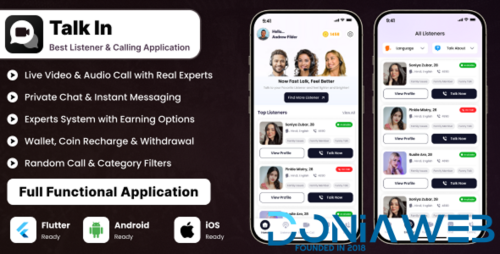
Where do you see this error- Talkin – Expert Audio & Video Calling App | Consultation, Astrology, Dating, Doctor, Lawyer, Advisor
- Talkin – Expert Audio & Video Calling App | Consultation, Astrology, Dating, Doctor, Lawyer, Advisor v18 November 2025
- JustFans - Premium Content Creators SaaS platform v10.4.0
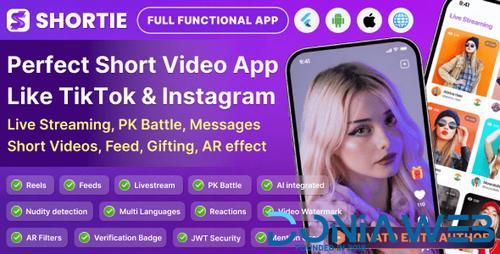
- Shortie - Short video & Live streaming app with admin panel | Android, iOS & Web | Tiktok Clone v1.0
- Shortie - Short video & Live streaming app with admin panel | Android, iOS & Web | Tiktok Clone
- Services v2.2.6
- Validating: Force User to Change Email Address v2.0.2
- Codono – All-in-One White-Label Crypto Exchange Script (Spot, P2P, Launchpad, Wallets & More)
- Codono – All-in-One White-Label Crypto Exchange Script (Spot, P2P, Launchpad, Wallets & More) v7.7.1
- eMart | Multivendor Food, On-demand, eCommerce, Parcel, Taxi Booking, Car Rent App with Admin & Web v6.4
- Shortzz : Short Video App Flutter Script With Admin Panel | Android | iOS | Tiktok Clone | Full App v5 Feb 2026
- Flangapp - SAAS Online app builder from website [Unlimited license] v3.0 PRO
- Taxido - InDrive | Grab | Uber Clone | Taxi Booking with Cab | Rental | Bidding | Parcel v2.0.2
- MagicAI - OpenAI Content, Text, Image, Chat, Code Generator as SaaS v10.0 NULLED
- WORKSUITE - HR, CRM and Project Management v5.5.20 NULLED
- Worksuite Saas - Project Management System + All Modules v5.5.10
- TableTrack - The Complete SaaS Restaurant Management Solution v1.2.80 NULLED
Back to topAccount
Navigation
Search
Configure browser push notifications
Chrome (Android)
- Tap the lock icon next to the address bar.
- Tap Permissions → Notifications.
- Adjust your preference.
Chrome (Desktop)
- Click the padlock icon in the address bar.
- Select Site settings.
- Find Notifications and adjust your preference.
Safari (iOS 16.4+)
- Ensure the site is installed via Add to Home Screen.
- Open Settings App → Notifications.
- Find your app name and adjust your preference.
Safari (macOS)
- Go to Safari → Preferences.
- Click the Websites tab.
- Select Notifications in the sidebar.
- Find this website and adjust your preference.
Edge (Android)
- Tap the lock icon next to the address bar.
- Tap Permissions.
- Find Notifications and adjust your preference.
Edge (Desktop)
- Click the padlock icon in the address bar.
- Click Permissions for this site.
- Find Notifications and adjust your preference.
Firefox (Android)
- Go to Settings → Site permissions.
- Tap Notifications.
- Find this site in the list and adjust your preference.
Firefox (Desktop)
- Open Firefox Settings.
- Search for Notifications.
- Find this site in the list and adjust your preference.

- WoWonder v1.5.6.3 + Themes & Plugins Pack