Everything posted by Mahmoud
-
Riverr - Freelance Services & Projects Platform
-
Riverr - Freelance Services & Projects Platform v1.3.3.1
- wowonder is complete nulled v4.3.4
- Premium URL Shortener v6.8.0 - Link Shortener, Bio Pages & QR Codes NULLED
- PayPage v1.9.0 - PHP ready to use Payment Gateway Integrations
- Premium URL Shortener v6.8.0 - Link Shortener, Bio Pages & QR Codes NULLED
- 66biolinks - Bio Links, URL Shortener, QR Codes & Web Tools (SAAS) [Extended License]
- CoinEARN - Make money with faucet, shrincet, games, tasks, offerwalls PHP SCRIPT v3.0.0
- Premium URL Shortener v6.8.0 - Link Shortener, Bio Pages & QR Codes NULLED
- AtoZ SEO Tools v3.6 - Search Engine Optimization Tools + addon
- RockHYIP v4.2 - Complete HYIP Investment System v
- GR8 Faucet Script
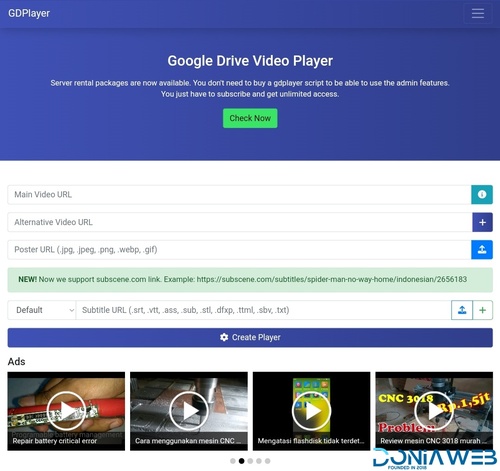
- GDPlayer.Top Google Drive Video Player PHP Script
- 18 comments
- 4 reviews
-
-
-
-
-
- 37
-
- GDPlayer.Top Google Drive Video Player PHP Script v4.7.0
- Zaika eCommerce CMS v2.0.5 - Laravel eCommerce Shopping Platform
- phpWallet v6.6 - e-wallet and online payment gateway system.
- CoinEARN - Make money with faucet, shrincet, games, tasks, offerwalls PHP SCRIPT v3.0.0
- Xenio Payment Gateway Solution- Merchant Services - Cards, Cryptocurrencies, Wallets - Paypal Clone
Back to topAccount
Navigation
Search
Configure browser push notifications
Chrome (Android)
- Tap the lock icon next to the address bar.
- Tap Permissions → Notifications.
- Adjust your preference.
Chrome (Desktop)
- Click the padlock icon in the address bar.
- Select Site settings.
- Find Notifications and adjust your preference.
Safari (iOS 16.4+)
- Ensure the site is installed via Add to Home Screen.
- Open Settings App → Notifications.
- Find your app name and adjust your preference.
Safari (macOS)
- Go to Safari → Preferences.
- Click the Websites tab.
- Select Notifications in the sidebar.
- Find this website and adjust your preference.
Edge (Android)
- Tap the lock icon next to the address bar.
- Tap Permissions.
- Find Notifications and adjust your preference.
Edge (Desktop)
- Click the padlock icon in the address bar.
- Click Permissions for this site.
- Find Notifications and adjust your preference.
Firefox (Android)
- Go to Settings → Site permissions.
- Tap Notifications.
- Find this site in the list and adjust your preference.
Firefox (Desktop)
- Open Firefox Settings.
- Search for Notifications.
- Find this site in the list and adjust your preference.

- wowonder is complete nulled v4.3.4