




Jump to content
View in the app

A better way to browse. Learn more.

DoniaWeB

A full-screen app on your home screen with push notifications, badges and more.

To install this app on iOS and iPadOS
  1. Tap the Share icon in Safari
  2. Scroll the menu and tap Add to Home Screen.
  3. Tap Add in the top-right corner.
To install this app on Android
  1. Tap the 3-dot menu (⋮) in the top-right corner of the browser.
  2. Tap Add to Home screen or Install app.
  3. Confirm by tapping Install.
     

Codono – All-in-One White-Label Crypto Exchange Script (Spot, P2P, Launchpad, Wallets & More) v7.7.1

Featured Replies

  • Community Expert
  • Administrators

Codono – All-in-One White-Label Crypto Exchange Script (Spot, P2P, Launchpad, Wallets & More)


Codono – Complete White-Label Cryptocurrency Exchange Script (All Add-Ons Included)

Launch your own fully featured cryptocurrency exchange platform with Codono, a complete white-label solution packed with Spot trading, P2P marketplace, OTC, Launchpad, wallets, staking, liquidity management and more — all included in one package.

Live Demo: https://v8.codono.com/

Codono offers a powerful, customizable, and scalable exchange system designed for businesses, startups, and developers who want to build a next-generation crypto trading platform with full control over branding, design, and features.


🚀 Why Codono?

  • All Add-Ons Included: The full source code comes with every premium module and feature unlocked — Spot, P2P, OTC, Launchpad, Staking, Mining, Wallet Modules, Liquidity Engine, APIs, and more.

  • White-Label & Fully Customizable: Tailor the platform to your brand — custom UI, modules, payment gateways, tokens, blockchain networks, and business logic.

  • Multi-Chain Support: Works with major chains like BTC, ETH/ERC20, BNB/BEP20, TRON TRC10/20, XRP, XMR, Waves, and more.

  • Enterprise-Grade Security: Cold wallets, 2FA, OTP/SMS authentication, encrypted transactions, secure key management, anti-fraud, and advanced protection layers.

  • Optimized Trading Engine: Real-time order book, limit/market orders, trading charts, matching engine, and liquidity management built-in.

  • Global Ready: Supports 50+ languages, multiple fiat and crypto currencies, and is built for international markets.

  • API-Driven Architecture: REST API + Webhooks for developers, mobile apps, bots, liquidity providers, and third-party integrations.


🔥 Core Features Included

  • Spot Trading System

  • P2P Marketplace

  • OTC Trading

  • ICO / IEO Launchpad

  • Staking & Mining Modules

  • Hot & Cold Wallet System

  • Portfolio & Transaction History

  • Liquidity Management

  • KYC / AML Tools

  • Payment Gateway Integrations

  • Multi-Language Interface

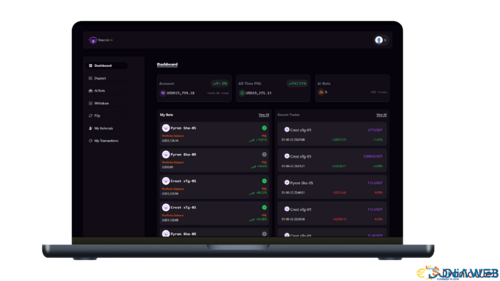
  • Full Admin Dashboard

  • REST API + Documentation

  • Advanced Security (2FA, OTP, Encryption)


📦 What’s Included

  • Full backend + frontend source code (unlocked)

  • All premium modules & add-ons included — no extra payments needed

  • Installation guide + API documentation

  • Fully white-label system: customizable branding, logos, colors, layout

  • Support for custom tokens & blockchain networks

  • Self-hosted deployment (complete control, no restrictions)


🎯 Perfect For

  • Launching a professional CEX (Crypto Exchange)

  • Creating a P2P marketplace similar to Binance P2P

  • Offering OTC services and token sales

  • Building a regional or global crypto trading platform

  • Startups & businesses wanting full control over their infrastructure

  • Developers who want a flexible, modifiable, fully open system


  • Submitter
  • Submitted
    12/02/2025
  • Category
  • Demo
    https://v8.codono.com/

Codono – All-in-One White-Label Crypto Exchange Script (Spot, P2P, Launchpad, Wallets & More)

Support is available for paid files only
Support for free files is offered for a fee only

Join the conversation

You can post now and register later. If you have an account, sign in now to post with your account.

Guest
Unfortunately, your content contains terms that we do not allow. Please edit your content to remove the highlighted words below.
Reply to this topic...

Recently Browsing 0

  • No registered users viewing this page.

Latest Updated Files


DoniaWeB © 2018-2025 | Made with

Configure browser push notifications

Chrome (Android)
  1. Tap the lock icon next to the address bar.
  2. Tap Permissions → Notifications.
  3. Adjust your preference.
Chrome (Desktop)
  1. Click the padlock icon in the address bar.
  2. Select Site settings.
  3. Find Notifications and adjust your preference.