Everything posted by Mahmoud
-
Delivery Area Pro Module for Foodomaa v1.1
- PixelPhoto IOS v1.0.4 - Mobile Image Sharing & Photo Social Network
- Ora School Suite v7.0 - Ultimate school management system
- Lanvere - ecommerce mobile app iPhone
- SpeedTest - Internet Speed Test | Utilities
- Grocery Flutter App Template | 3 Apps | User App + Seller App + Delivery App | GroShop
- Calmish - Meditation & Relaxation SwiftUI app - iOS 14 ready
- Goo.fy - iOS Video Sharing App
- Grocery Android & iOS App with Delivery Boy and Store Manager App With CMS v2.4
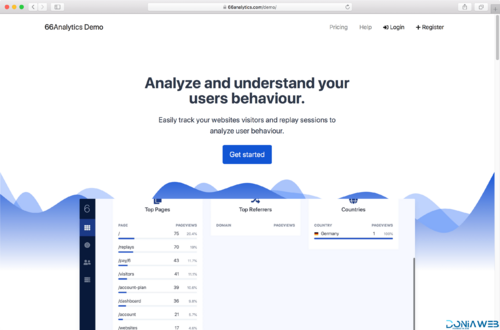
- 66Analytics - Website Traffic Analytics Platform [Extended License]
- Educational App (Theory & Quizzes) + Admin Panel
- Calendar Widget - NEW iOS 14 Widget
- Auto Call Recorder v1.0.2
- iLive Wallpaper
- Golo v1.2.0 - Directory & Listing, City Travel Guide Laravel Theme + App
- Magduriyet - Advanced SMM Panel Script | Update 10 July 2022
- OXOO v1.3.9 - Android Live TV & Movie Portal App with Subscription System
- Best 5 Dress Up Game For Kids + Ready For Publish + Android Studio
- ProWriters v1.5 - Sell writing services online
- ionic 5 food delivery full (Android + iOS + Admin Panel PWA) app with firebase
- All in One Video Downloader Script v2.5.0
- HOLALA Premium - Live Random VideoVoice Call + Admin Panel + Ads + In-App Purchases
Back to topAccount
Navigation
Search
Configure browser push notifications
Chrome (Android)
- Tap the lock icon next to the address bar.
- Tap Permissions → Notifications.
- Adjust your preference.
Chrome (Desktop)
- Click the padlock icon in the address bar.
- Select Site settings.
- Find Notifications and adjust your preference.
Safari (iOS 16.4+)
- Ensure the site is installed via Add to Home Screen.
- Open Settings App → Notifications.
- Find your app name and adjust your preference.
Safari (macOS)
- Go to Safari → Preferences.
- Click the Websites tab.
- Select Notifications in the sidebar.
- Find this website and adjust your preference.
Edge (Android)
- Tap the lock icon next to the address bar.
- Tap Permissions.
- Find Notifications and adjust your preference.
Edge (Desktop)
- Click the padlock icon in the address bar.
- Click Permissions for this site.
- Find Notifications and adjust your preference.
Firefox (Android)
- Go to Settings → Site permissions.
- Tap Notifications.
- Find this site in the list and adjust your preference.
Firefox (Desktop)
- Open Firefox Settings.
- Search for Notifications.
- Find this site in the list and adjust your preference.

- PixelPhoto IOS v1.0.4 - Mobile Image Sharing & Photo Social Network