












Simple IPTV Admin Panel (PHP 7.4–8.x) — Gamechanger Edition
Pure PHP + MySQL IPTV panel + companion Android app. No frameworks. No Composer. Shared-hosting friendly.
Xtream-style Player API is working/fixed and the Android client consumes it cleanly.
Server note: Make sure all php files and .htaccess and .user.ini is 644, all folders 755
Android App Download (Released)
The Android TV / Android phone app is released for download.
While the APK is public, the full app source is private.
🚀 Gamechanger: Ordered Multi‑M3U Imports (Server-Side)
🚀 Gamechanger: Ordered Multi‑M3U Imports (Server-Side)" href="https://github.com/helloman37/xtreamcodes-gamechanger/tree/main#-gamechanger-ordered-multim3u-imports-server-side">
This panel supports multi M3U upload with a drag & drop “import order” list — and that order is persisted everywhere:
Panel category + channel lists
User M3U downloads (
get.php)Xtream-style API output (
player_api.php)
So if an admin imports files in the order:
Sports.m3u
Movies.m3u
Kids.m3u
…then the panel + exported playlists return Sports → Movies → Kids, matching that exact order (server-side).
Note: Some IPTV apps still sort locally (A→Z) no matter what. The server output is ordered, but the client may override it.
✅ Major Systems & Features (Everything Included)
✅ Major Systems & Features (Everything Included)" href="https://github.com/helloman37/xtreamcodes-gamechanger/tree/main#-major-systems--features-everything-included">
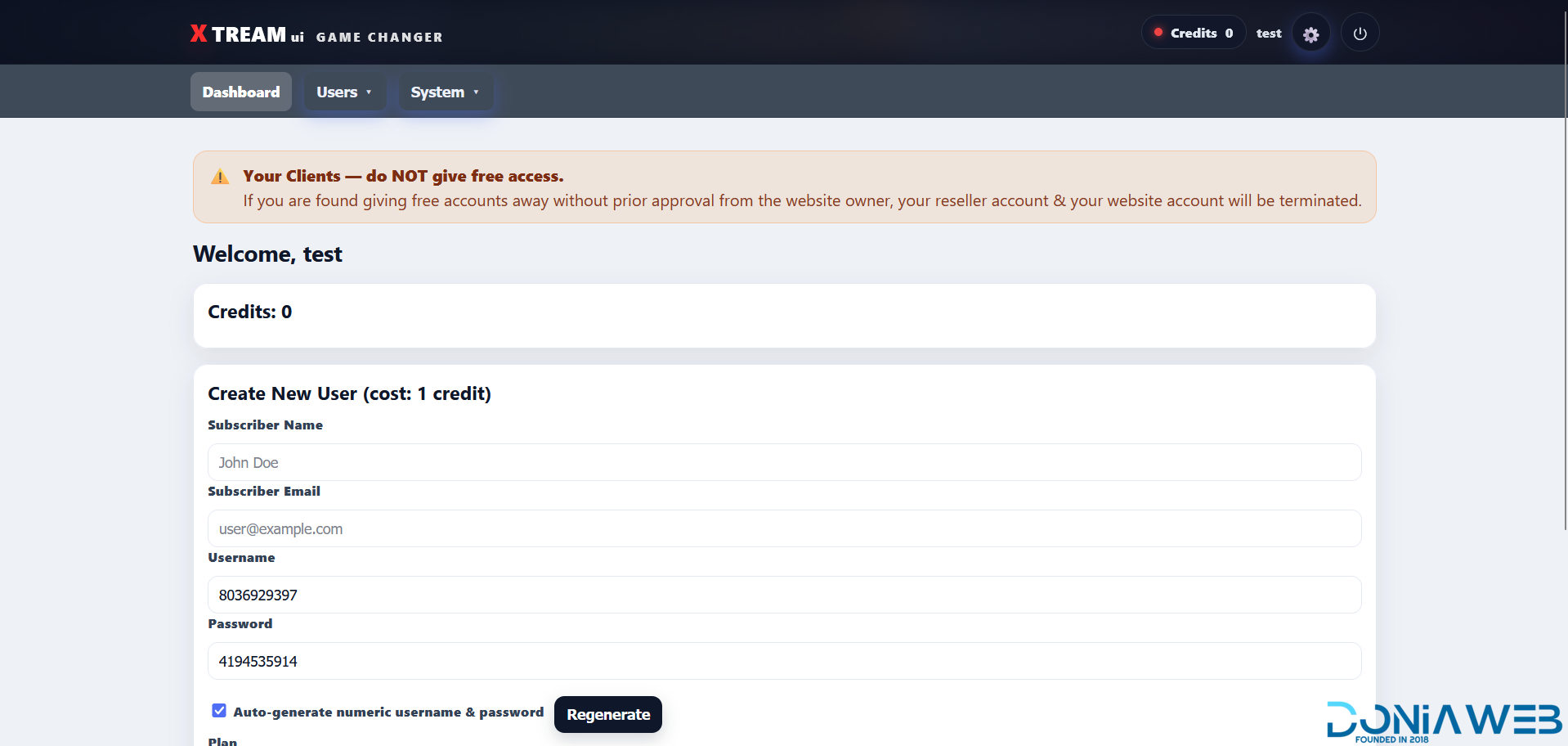
1) Admin + Reseller Panels
Admin Area (/admin)
Admin login/logout
Dashboard stats (channels, health stats, users/resellers, recent checks)
Full content management (categories/channels, imports, EPG, telemetry, bans, backups)
Subscription + billing management
Reseller Area (/reseller)
Reseller login/logout
Add/edit users
Reset credentials (generate numeric username/password)
Credits badge visible in topbar (green if > 0, red if 0)
Hardened permissions (resellers can’t do bans/override billing)
Admin/Reseller Dropdown → Change Password
Topbar dropdown allows the logged-in user to change their own password securely (current password required).
2) Content Management (Channels + Categories)
Category Manager + Channel Manager
Dedicated management UI that lets admins:
Create/rename/delete categories (shows channel counts)
Manage channels inside a selected category
Keeps
channels.category_idandchannels.group_titlealigned for cleangroup-titleoutput
Cascade Delete Categories
Deleting a category also deletes all channels inside it (safe cascade delete behavior).
“Uncategorized” (or protected base category) is protected from deletion.
3) M3U Import System (Single + Multi)
Multi M3U Upload + Drag & Drop Order
Upload multiple M3U files at once
Drag & drop to arrange import order before importing
Import order persists across panel + exports
Persistent Ordering Everywhere
The DB tracks ordering:
categories.sort_orderchannels.sort_order
After import:
Categories appear in the same order as imported files
Channels appear in consistent order inside each category
Import Upsert + Re-Order
To support re-importing without duplicates:
Channels are upserted (matched by stream URL) when possible
Re-importing can update ordering and metadata instead of creating duplicates
4) EPG System (Upgraded)
XMLTV endpoint returns real EPG
xmltv.php outputs a real XMLTV feed based on imported guide data (not an empty <tv>).
EPG Extract / Filter (Admin → EPG)
Upload XMLTV (
.xmlor.gz)Auto-detect “locations” using id/display-name matching
Select locations → generates a new filtered XMLTV download
Upload XMLTV as Source (Admin → EPG)
Upload 1 or 2 XMLTV files (
.xmlor.gz)If 2 files: combined into one XMLTV on the server
Creates/updates a “local upload” source in DB and runs importer automatically
Auto-replace EPG on import
Import from URL or uploaded XMLTV replaces previous guide data:
No duplicates
No stale programmes
Uploading again updates the existing “local upload” source; old files are cleaned up
5) Stream Limits + Device Lock (Channel-Switch Safe)
Max Streams + Max Devices Enforcement
Channel switching on the same device does NOT stack sessions
Max Streams behaves like true concurrent sessions/devices
Max Devices enforced separately when Device Lock is enabled
Near Real-Time Active Stream Tracking
Sessions stay “alive” only while actively streaming (updates
last_seen)Slots free quickly after stream stops
Prevents false “limit reached” during fast channel flips
strict_device_id (Config)
If enabled, requires client to send a stable device_id (querystring or X-Device-ID header). Recommended for the Android app.
6) Abuse Controls (Bans, Rate Limits, Telemetry)
Ban System (Admin → Abuse Bans)
Ban by IP and/or username/account
Enforced across:
player_api.phpget.phpxmltv.phpstream endpoints (
/live,/seg, etc.)
Anti‑Bruteforce & Abuse Handling
Rate limiting by IP and username
Progressive lockouts
Quick ban workflows
Telemetry logs failure reasons (
auth_fail,banned_ip,rate_limited,max_connections, etc.)
Telemetry + Audit Logs (Admin → System → Telemetry)
Request logs for API + stream hits
Captures username (when present), IP, UA, device_id, endpoint, reason, response time
Shows top IPs/top failures/suspicious accounts and quick actions
7) Fail Videos (Admin → System → Fail Videos)
Admins can configure video URLs to play when access is denied instead of plain text errors.
Supported formats:
.mp4.m3u8.ts
Works across:
get.phpstream endpoints (
/live,/movie,/series, segment endpoints, etc.)
Compatibility tips:
.m3u8best for most IPTV apps.tssafest for segment endpoints.mp4works for many apps but not all “live” players
8) Backup & Restore (Admin → System → Backup & Restore)
Full backup: zips entire panel directory + includes
database.sqlRestore: restores panel files (overwrite) and/or database from a backup
Notes:
Backups stored in
storage/backups/Backups exclude
storage/backups/itselfRequires PHP ZipArchive
Web user must be able to write to
storage/backups/
9) Billing + Reports (Admin → Billing → Reports)
Monthly revenue grid (up to last 12 months)
“Up for renewal” sections for accounts nearing expiry/renewal windows
10) Subscription System (NEW: One Active Subscription + Tokens Match Subscription)
One Active Subscription Per User
The system enforces: each user can have only one active subscription at a time.
Where it is enforced:
Checkout: blocks purchases if the user already has an active subscription
Admin user edit: if you set a subscription to
active, any other active subscription rows for that user are cancelledStorefront provisioning: cancels any existing active subscription before creating the new one
Tokens Stay Valid for the Duration of the Subscription
Playlist token expiry is now computed as:
If an active subscription has an
ends_atin the future:
tokenexp= subscriptionends_atIf subscription has no
ends_at(lifetime) or parsing fails:
tokenexpfalls back tonow + token_ttl
This eliminates the “everything dies after 1 hour until playlist refresh” problem.
Stream-Start Subscription Gate (Cached)
At stream start, the server checks “is user active?” and caches the result for a short window to prevent DB spam on HLS segment traffic.
Config:
sub_cache_ttl(default 60 seconds)
Recommended:
30–60 seconds for fast enforcement changes
60–120 seconds for lower DB load
Lifetime Subscription Behavior
Two workable patterns:
ends_at = NULL: tokens fall back totoken_ttl(fine if client refreshes playlists often)Far-future
ends_at(e.g., year 2108): tokens effectively behave like lifetime
Install (Web Wizard)
Upload files to your web root
Visit your domain → it redirects to
/install/automaticallyEnter DB credentials + base URL
(Optional) enter PayPal/CashApp fields
Finish → installer prints admin username + password
Login at
/admin
After install: delete /install/ or block it via web server rules (recommended).
Rewrites (Xtream-style URLs)
If you want /live/... and /seg/... to work, enable the provided Apache/Nginx rewrite rules (see .htaccess or your server config).
Cron (Recommended)
*/10 * * * * php /path/to/scripts/stream_probe.php --limit=400 >/dev/null 2>&1
0 */6 * * * php /path/to/scripts/epg_import.php --flush=1 >/dev/null 2>&1
Client Endpoints (Xtream-Style)
Playlist (M3U)
Typical:
/get.php?username=USERNAME&password=PASSWORD&type=m3u
VOD/Series:
/get.php?username=USERNAME&password=PASSWORD&type=m3u_plus
Link mode selector:
link=token_protected(default)link=standard_protectedlink=direct_protectedlink=auto
Example:
/get.php?username=USERNAME&password=PASSWORD&type=m3u&link=token_protected
Player API (Xtream-style)
/player_api.php?username=USERNAME&password=PASSWORD
XMLTV
/xmltv.php?username=USERNAME&password=PASSWORD
Configuration
config.php vs config.local.php
config.phpcontains defaults and is safe to overwrite/reinstall.config.local.phpis your local override file written by the installer and should persist.
✅ TMDB API Key (Where to add it)
✅ TMDB API Key (Where to add it)" href="https://github.com/helloman37/xtreamcodes-gamechanger/tree/main#-tmdb-api-key-where-to-add-it">
Open config.local.php and set:
<?phpreturn [
  'tmdb_api_key' => 'YOUR_TMDB_API_KEY_HERE',
  'tmdb_region'  => 'US',
  'tmdb_language'=> 'en-US',
];
Notes:
This TMDB key is used by the subscriber portal and TMDB enrichment features.
The system also supports per-user overrides (
users.tmdb_api_key,users.tmdb_region,users.app_logo_url).
Token settings (recommended defaults)
<?phpreturn [
  // Used when subscription has no ends_at (lifetime/null).'token_ttl' => 604800, // 7 days

  // Cache for stream-start active-sub check (seconds).'sub_cache_ttl' => 60,
];
Database / Migrations (Important)
Recent versions add/expect these columns:
users.name(subscriber name)users.email(subscriber email)users.reseller_id(ties users to resellers for admin reporting)users.password_enc(encrypted password so admin can view it later)users.tmdb_api_key,users.tmdb_region,users.app_logo_url
If upgrading:
run
migration.php, orapply equivalent SQL from migrations.
Password storage note
Passwords are stored as:
a secure hash for authentication, and
an encrypted copy (
password_enc) so admin can view it later and build clickable M3U links
If you want stricter security:
show credentials only once at creation
later allow Reset Password (but never reveal existing passwords)
Notes on Ordering
The server outputs categories/channels ordered by
sort_order(admin-defined via import order).Some client apps may still sort A→Z locally.
Legal
Only load streams/EPG data you have the legal right to use (e.g., free/OTT sources like Pluto TV).
Please Note
This panel is written with PHP8, Apache, MySql in mind. If you are on a host that serves aaPanel/Nginx this is not guaranteed to work. If you want to have customization done, I work by the hour, upfront.
What's New in Version 2.2.7
Released
Fixed another bug.
You may only provide a review once you have downloaded the file.
There are no reviews to display.