









.png.516dd3f0934703dbf02b2512bcc79a7b.png)
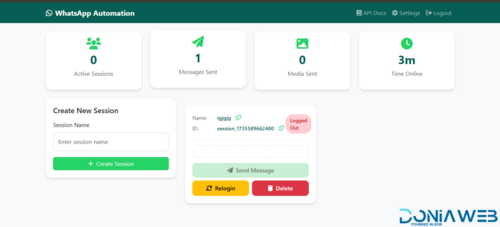
Wavvy is a comprehensive WhatsApp automation and management platform built with Node.js and Baileys. It enables users to manage multiple WhatsApp sessions simultaneously with advanced messaging capabilities, AI integration, and subscription-based access control.
Core Features
Multi-Session Management
Connect and manage multiple WhatsApp accounts simultaneously
QR code authentication for easy session setup
Automatic session restoration and reconnection
Real-time session status monitoring
Session ownership and isolation per user
Bulk Messaging & Campaigns
Create and schedule bulk messaging campaigns
Multiple sending strategies: sequential, random, round-robin, balanced, and burst modes
Support for all message types: text, images, videos, documents, audio, stickers, locations, contacts, polls, and view-once media
Campaign pause/resume functionality with state persistence
Detailed delivery tracking and analytics
Automatic campaign resumption after server restart
Contact Management
Organize contacts into custom groups with color coding
Import and manage contact lists
Mark favorites for quick access
WhatsApp number validation and verification
Bulk number checker with validity detection
AI Assistant Integration
Multi-provider support: OpenAI, DeepSeek, Google Gemini, and OpenRouter
Customizable system prompts and knowledge bases
Conversation memory with configurable context length
Adjustable temperature and token limits
Per-session AI configuration
Auto-Reply System
Multiple trigger types: exact match, contains, starts with, ends with, regex
Multi-message responses with media support
Shareable auto-reply configurations
Option to reply to self-messages
Session-specific auto-reply rules
Message Templates
Save and reuse message templates
Support for all media types and advanced message formats
Template favorites and usage tracking
Template data storage for complex message types (polls, locations, contacts)
Subscription & Plan Management
Five-tier subscription system: Free, Starter, Professional, Business, Enterprise
Flexible billing cycles with automatic expiry tracking
Usage-based limits: messages, sessions, contacts, templates, API requests
Feature gating: AI assistant, auto-reply, API access
Automatic quota reset for free users
Admin panel for plan assignment
API Access
RESTful API with API key authentication
Rate limiting per subscription tier
Comprehensive API documentation
Separate web and external API endpoints
Usage tracking and analytics
Phone Verification
OTP-based phone number verification
WhatsApp-based OTP delivery
Country code support
Verification status tracking
Security & Authentication
Google OAuth 2.0 integration
Local authentication with bcrypt password hashing
CSRF protection for web interface
Session management with MySQL store
Helmet.js security headers
XSS protection and input sanitization
API key-based authentication for external access
Admin Features
User management and banning
Plan assignment and tier management
System-wide usage monitoring
API usage analytics
Session oversight
Technical Stack
Backend
Node.js with Express.js
Baileys (WhatsApp Web API)
MySQL database with connection pooling
Passport.js for authentication
Winston for logging
Node-cron for scheduled tasks
Frontend
EJS templating engine
Responsive web interface
Real-time updates via Socket.io
Bootstrap-based UI
Storage & Media
File uploads with Multer
Sharp for image processing
Session data persistence
Media file management
Security & Performance
Rate limiting with express-rate-limit
CORS configuration
Helmet security middleware
LRU cache for OpenRouter models
Graceful shutdown handling
Automatic cleanup services
Use Cases
Marketing agencies managing multiple client WhatsApp accounts
Customer support automation with AI-powered responses
Bulk notification systems
WhatsApp number validation services
Multi-tenant WhatsApp management platforms
Automated customer engagement campaigns
Default Admin Access
Email: [email protected]
Password: admin123 (should be changed immediately after first login)
-
 3
3
-
 2
2
-
.png) 1
1
You may only provide a review once you have downloaded the file.
There are no reviews to display.