Everything posted by Mahmoud
-
MagicAI - OpenAI Content, Text, Image, Chat, Code Generator as SaaS v10.0 NULLED
- Aikeedo AI - SaaS / AI Chat, Video, Image, Voice, Content, Code v3.8.1
- Invision Community Suite v5.0.18
- Whatsapp Gateway | Multi Device v14.7.0
- 66text - Android phone SMS gateway [Extended License] v5.0.0
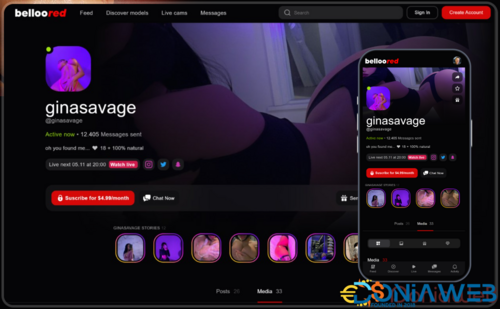
- BellooRed - Adult Premium Content Creator Software [Extended License] v1.1
- 66Uptime - Uptime & Cronjob Monitoring software [Extended License] v52.0.0
- 66pusher - Web push notifications software v20.0.0 Extended License
- 66Analytics - Website Traffic Analytics Platform [Extended License] v49.0.0
- 66text - Android phone SMS gateway [Extended License] v5.0.0
- Listify – Buy & Sell Classified Marketplace App & Web | Flutter, Android, iOS | Admin Panel | Ads
- 3 comments
- 1 review
-
-
-
-
- 5
-
- Listify – Buy & Sell Classified Marketplace App & Web | Flutter, Android, iOS | Admin Panel | Ads v1.0
- Stories - Laravel Creative Multilingual Blog v1.37.4
- Ready eCommerce - Complete Multi Vendor eCommerce Mobile App, Customer Website with Store POS v4.2.4
- Premium URL Shortener - Link Shortener, Bio Pages & QR Codes v7.8.2
- Hyperlocal - Multivendor eCommerce, Grocery, Food, Pharmacy Flutter Delivery app - Admin & Website
- Hyperlocal - Multivendor eCommerce, Grocery, Food, Pharmacy Flutter Delivery app - Admin & Website v1.0.1
- Chat - Support Board - PHP Chatbot OpenAI Application + SAAS v3.8.9
- Taxido - InDrive | Grab | Uber Clone | Taxi Booking with Cab | Rental | Bidding | Parcel v2.0.2
- HelpDesk Pro – AI-Powered Ticket Management & Customer Support System v5.1.2
Back to topAccount
Navigation
Search
Configure browser push notifications
Chrome (Android)
- Tap the lock icon next to the address bar.
- Tap Permissions → Notifications.
- Adjust your preference.
Chrome (Desktop)
- Click the padlock icon in the address bar.
- Select Site settings.
- Find Notifications and adjust your preference.
Safari (iOS 16.4+)
- Ensure the site is installed via Add to Home Screen.
- Open Settings App → Notifications.
- Find your app name and adjust your preference.
Safari (macOS)
- Go to Safari → Preferences.
- Click the Websites tab.
- Select Notifications in the sidebar.
- Find this website and adjust your preference.
Edge (Android)
- Tap the lock icon next to the address bar.
- Tap Permissions.
- Find Notifications and adjust your preference.
Edge (Desktop)
- Click the padlock icon in the address bar.
- Click Permissions for this site.
- Find Notifications and adjust your preference.
Firefox (Android)
- Go to Settings → Site permissions.
- Tap Notifications.
- Find this site in the list and adjust your preference.
Firefox (Desktop)
- Open Firefox Settings.
- Search for Notifications.
- Find this site in the list and adjust your preference.

- Aikeedo AI - SaaS / AI Chat, Video, Image, Voice, Content, Code v3.8.1