
Mr Hell
Members
-
Joined
-
Last visited
Files posted by Mr Hell
-
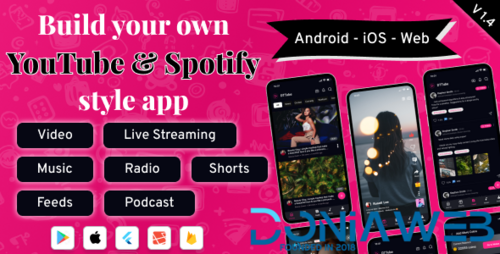
DTTube is a complete YouTube and Spotify-style Flutter app that brings together video streaming, reels, podcasts, music, radio, and live streaming — all inside one powerful cross-platform application.
Built with Flutter for Android, iOS, and Web, and powered by a robust Laravel Admin Panel, DTTube empowers creators, streamers, and business owners to launch their own entertainment platform in minutes.
Build Your Own YouTube & Spotify Style App!
Launch DTTube — a ready-made Flutter multimedia platform to build your own YouTube & Spotify style app. Stream videos, reels, music, podcasts and live radio. Monetize with subscriptions, AdMob, in-app purchases and wallet. Android, iOS & Web.
Key Features:
Video Streaming Excellence
Enjoy seamless, high-quality video playback with adaptive streaming support. From short reels to full-length videos, DTTube delivers smooth performance and an intuitive interface.
️ Reels Integration:
Our web version is designed to be visually appealing and easy to navigate.
Music for Every Mood:
Dive into a curated collection of radio stations and podcasts, bringing a diverse auditory experience to your fingertips.
️ Podcasts & Radio:
Immerse yourself in a world of music, exploring genres, creating playlists, and enjoying a personalized auditory journey.
- Free
- 386 Downloads
- 3 Comments