OKLABS
Members
-
Joined
-
Last visited
Files posted by OKLABS
-
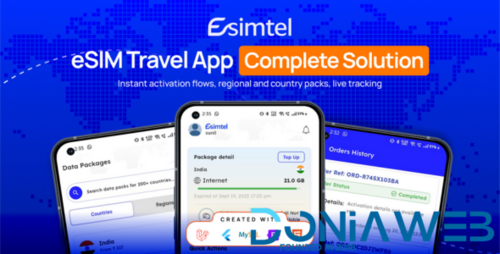
eSIM is a complete solution to launch your own eSIM selling business. Built with Next JS powered by a Laravel Admin Panel, it allows you to sell global eSIM packages, manage users, handle KYC, process orders, and automate refunds with ease.
Trusted Global Supplier – Airalo, esimGO, esimAccess
eSIM is powered by Airalo, esimGO, esimAccess, one of the most trusted global eSIM suppliers at the best prices. With Airalo integration, you can instantly offer international coverage and affordable plans to your customers.
To start reselling, simply sign up as an Airalo Partner here: Airalo Partner Hub. Similarly, signup with esimGO & esimAccess.
Admin Panel Features
Dashboard
Quick insights into:
Registered users
Active eSIMs
Completed & failed orders
Total eSIM purchases
Pending, approved, and rejected KYC
Interactive charts for orders and user registrations
User Management
Manage all registered users
Approve, reject, or review pending KYC documents
Track approved and rejected KYC applications
Master Data
Regions – region-based plans
Countries – country-specific packages
Packages – flexible package management
Currencies – multi-currency support
Order Management
Order list with ID, customer, date, amount, payment
Order status tracking: Completed, Successful, Failed
eSIM Management
Track all eSIM purchases
Activation status: Installed/Activated or Not Activated
Refund automation for unactivated eSIMs (Airalo, esimGO, esimAccess integrated)
Notifications
Send notifications to all or specific users
Include title, description, and optional image
Support Center
Ticket management for user issues (purchases, activation, refunds)
Admins can respond, track, and close tickets
Dynamic FAQs synced directly with the app
Banner Management
Upload banners for promotions and offers
Attach actions such as redirect to plans
Schedule banners with start and end dates
Control visibility easily
Custom Email Templates
Create templates for order placement, OTP, SIM activation
Use dynamic placeholders (e.g., {{user_name}}, {{order_id}})
Supports HTML content and auto-triggered emails
General Settings
Payment configuration with API keys (Stripe, Razorpay, etc.)
Switch between test and live environments
Dynamic commission settings to adjust margins over Airalo base price
Manage logos, favicons, and branding
Reports & Analytics
Sales and profit overview
Track successful, cancelled, and completed orders
Visual bar charts and graphs for performance
Page Management
Manage privacy policy and terms & conditions pages
Why Choose eSIM?
With eSIM, you get a ready-to-launch digital telecom business integrated with Airalo. Whether you are a startup or an established business, you can resell global eSIMs at the best prices, manage your users efficiently, and scale quickly with our powerful admin tools.
esim, esim reselling app, esim app, esim reselling software, esim flutter app, airalo, esimgo, esimaccess api,
Please note: We recommend VPS or Dedicated server only as the item requires Node JS & PHP support both.
- Free
- 97 Downloads
- 1 Comments