M G
DW Members
-
Joined
-
Last visited
Files posted by M G
-
Service Description
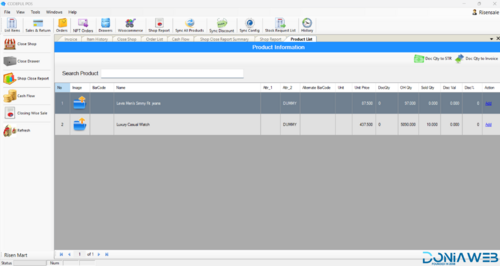
Full functional desktop app exe for ultimate pos with following features
Video Demo
https://youtu.be/mBs0QOxqjks
offline and online
🧾 Sales & Billing Management
Fast POS invoice generation
Barcode scanning support
Product search by name or barcode
Manual product add option
Quantity, price, and discount editing per item
Percentage & fixed value discounts
Discount class system (General / Custom)
Max allowed discount control
Rebate support
Cash & card payment modes
Automatic change calculation
Hold & resume bills
Advance billing option
Multiple receipts per session
📦 Product & Inventory Management
Product listing and management
Real-time stock tracking (OH Qty)
Stock request list system
Product syncing feature
Product categories and barcodes
Price and quantity management
Charge quantity tracking
Inventory updates after each sale
🔄 Sales Sync & Integration
Sync all products with server
Sync discounts across systems
Unsynced sales tracking
Online & offline mode support
WooCommerce integration
Export sales to Google Maps (route-based feature if enabled)
📊 Reports & Analytics
Shop report generation
Sales & return reports
Closing wise sales summary
Cash flow tracking
Order history view
Daily, weekly, and monthly reports
Staff performance overview
🛒 Order Management
New POS order creation
NPT (Non-Paid Transaction) Orders
Exchange orders
Order holding system
Order history access
🏪 Shop & Cash Management
Open / Close shop system
Cash drawer control
Cash flow management
Closing reports for shift or day
Drawer tracking
👥 User & Role Management
Multi-user login system
Role-based access control
Admin & cashier permissions
Activity tracking
Secure login sessions
⚙️ System Configuration
POS sync configuration
Barcode weighing machine support
Tax & VAT settings
Discount rules setup
Store profile management
Receipt configuration
Multi-language support
Currency settings
🔐 Security Features
Role-based permissions
Secure data syncing
Restricted discount access
Admin approval settings
Sales modification logs
🧩 Add-on & Expansion Ready
WooCommerce store connection
Multi-branch support (optional module)
Accounting system integration
Kitchen Display System (KDS) support
Cloud sync compatibility
API-ready structure
🖨️ Hardware Compatibility
Barcode scanners
Receipt printers
Cash drawers
Weighing machines
Touch screen POS systems
🌐 Business Benefits
Offline-first system with cloud sync
Fast checkout workflow
Reduced billing errors
Real-time stock visibility
Scalable for single or multi-store businesses
🎯 Ideal For
Retail stores
Supermarkets
Pharmacies
Grocery shops
Electronics stores
Restaurants (with KDS module)
Wholesale businesses
- 450.00 EUR