






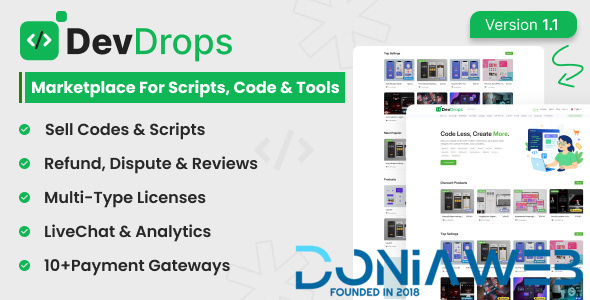
DevDrops is a modern code marketplace for developers to buy and sell ready-to-use scripts, tools, and digital products. It supports secure transactions, instant file delivery, and is perfect for solo devs, startups, and tech entrepreneurs. Whether you’re selling your code or looking for pre-built solutions, DevDrops makes it fast and simple.
Demo Access:
Demo: https://preview.wstacks.com/devdrops
User: https://preview.wstacks.com/devdrops/user/login
Username: testuser | Password: 123456
Admin: https://preview.wstacks.com/devdrops/admin
Username: admin | Password: admin
Advantages
– Beautiful Frontend and Backend Templates
– Fully Responsive, Supports All Devices and Browsers
– Multi-language Support
– Global Settings Management
– SEO Ready with Google Recaptcha & Live Chat Integration
– 10+ Integrated Payment Gateways
– Email & SMS Configuration
– Custom Email and SMS Templates
– GDPR Compliance & Cookie Policy Support
– Built-in Privacy Policy and Terms Pages
– Fast & Friendly Support
– Well-structured Documentation
Admin Features
– Manage Products
– Manage Users
– Categories & Tags Management
– CMS Pages & Page Content Editor
– Global and Payment Settings
– Withdrawals Management
– Manage Subscribers
– Logo and Branding Settings
– Live Chat Integration
– SEO and Recaptcha Settings
– SMS and Email Gateway Configuration
– GDPR Cookie Policy Control
User Features
– Mange Orders
– Reviews & Refund
– Refferal & Withdraw
– Update Profile Settings
Technology Used
Built with modern and reliable technologies:
– Laravel 10
– Bootstrap 5.x
– jQuery 3.7.1
Included with the Script
– Full Source Code
– Documentation
– MySQL Database File
What's New in Version 1.0.0
Released
No changelog available for this version.

You may only provide a review once you have downloaded the file.
There are no reviews to display.