









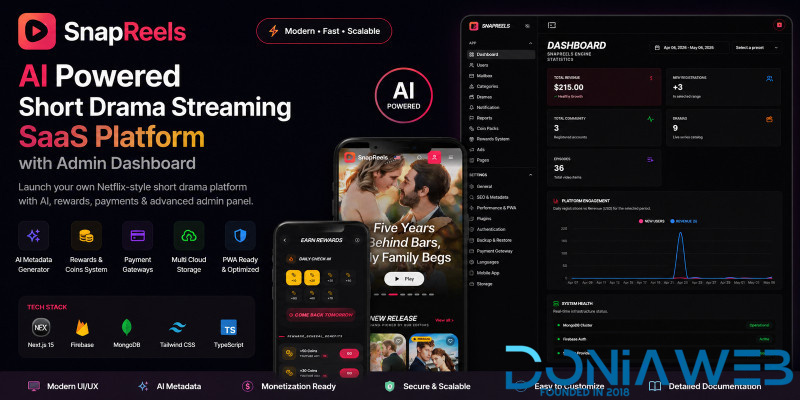
SnapReels is a powerful and modern short drama streaming SaaS platform designed to deliver a Netflix-like experience for short video content.
Built with Next.js and MongoDB, it provides a complete solution for launching your own streaming platform with advanced features like user authentication, admin dashboard, rewards system, and episode management.
The platform is optimized for performance, mobile responsiveness, and scalability, making it perfect for startups and content creators.
🔗 Live Demo:
Frontend: https://snapreels.gadohost.com
Admin Panel: https://snapreels.gadohost.com/admin
👤 User Login:
Email: [email protected]
Password: demo123
🔐 Admin Login:
Username: demo
Password: demo123
SnapReels allows you to create, manage, and monetize short drama content easily with a clean and modern UI.
🚀 Update Logs
Version 1.0.2 09-06-2026
- New: Documontasion update.
- New: Dedicated Mobile App settings section added.
- New: Android App configuration panel.
- New: API Base URL management for mobile applications.
- New: API Access Key generation and management.
- New: Mobile app version control and force update system.
- New: Custom update URL configuration.
- New: Privacy Policy, Terms of Service and Rate Us links management.
- New: Google Play Billing (Google Pay In-App Purchases) support.
- New: Enable/Disable option for Google Play payments.
- Update: Payment Gateway settings redesigned.
- New: Dedicated Android Rewards System.
- New: Separate Android Ad Rewards management.
- New: Android Daily Check-in reward configuration.
- New: Android reward task management panel.
- Fix: Various UI improvements.
- Fix: Mobile responsiveness enhancements.
- Fix: General performance and stability improvements.
Version 1.0.1 11-05-2026
- New: AI-powered metadata generator added.
- New: Automatic title generation for dramas.
- New: Automatic description generation.
- New: Automatic SEO metadata generation.
- New: Automatic tags & categories generation.
- New: Automatic URL slug generation.
- New: Added OpenAI support as second AI provider.
- Update: Groq Cloud integration improved.
- Update: AI configuration panel redesigned.
- Update: Payment gateway section UI improved.
- New: Added PayPal, Stripe & Razorpay payment logos.
- Fix: Multiple admin panel UI issues resolved.
- Fix: Performance and stability improvements.
- Update: General system optimization and responsiveness improvements.
Version 1.0.0 26-04-2026
- Initial release of SnapReels.
Features
- Netflix-style UI/UX design
- Short drama episode streaming system
- Powerful admin dashboard
- Episode & video management
- AI-powered metadata generator
- Automatic SEO, tags & category generation
- Multiple AI provider support (Groq & OpenAI)
- Coin & rewards system
- Daily check-in rewards
- Premium content system
- User authentication system
- Mobile responsive design
- Fast performance with Next.js
- MongoDB database integration
- SEO optimized structure
- Clean and well-structured code
Requirements
- Hosting GadoHost.com or VPS with SSH access

You may only provide a review once you have downloaded the file.
There are no reviews to display.