Skip to content
View in the app

A better way to browse. Learn more.

DoniaWeB

A full-screen app on your home screen with push notifications, badges and more.

To install this app on iOS and iPadOS
  1. Tap the Share icon in Safari
  2. Scroll the menu and tap Add to Home Screen.
  3. Tap Add in the top-right corner.
To install this app on Android
  1. Tap the 3-dot menu (⋮) in the top-right corner of the browser.
  2. Tap Add to Home screen or Install app.
  3. Confirm by tapping Install.
     

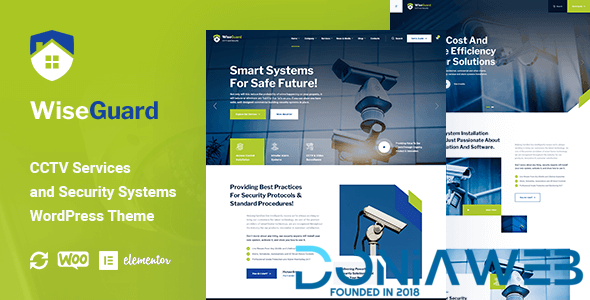
WiseGuard - CCTV and Security Systems WordPress Theme 1.1.8

(0 reviews)

1 Screenshot

WiseGuard – CCTV Services and Security Systems WordPress Theme is a stylish and visually engaging Security WordPress theme. Security theme is for Home Automation, CCTV and Security services. Perfect choice for building CCTV, Surveillance cameras, CCTV camera installation, vigilance services, security systems, security cameras, video surveillance, Camera fitting service, and smart home websites.

WiseGuard Security Multipurpose theme showcase your professional security services, skills, and employment opportunities to your customers.

This Home automation theme is retina ready and fully responsive theme. Fits well for security services, bodyguard, security company, guard, home security, security guard, security systems, alarm, security installation service.


User Feedback

You may only provide a review once you have downloaded the file.

There are no reviews to display.

Other files from Tech Alchemist

Account

Navigation

Search

Search

Configure browser push notifications

Chrome (Android)
  1. Tap the lock icon next to the address bar.
  2. Tap Permissions → Notifications.
  3. Adjust your preference.
Chrome (Desktop)
  1. Click the padlock icon in the address bar.
  2. Select Site settings.
  3. Find Notifications and adjust your preference.