Everything posted by Mahmoud
-
Vegi - The Ultimate Grocery - Food - Milk Ordering app with Delivery boy & Admin : Android / Laravel | Update 10 June 2022
- Modesy v2.3.2 - Marketplace & Classified Ads Script NULLED
- GoferGrocery Grocery Delivery Script - Trioangle Professional
- Uber Clone – Taxi Booking Script - Appkodes Cabso v1.0 v
- Trid v7.0 - City Travel Guide Android Native with Admin Panel, Firebase
- QuickDate Android - Mobile Social Dating Platform Application v2.8
- QuickDate IOS v1.7 - Mobile Social Dating Platform Application
-
-
- 1
-
-
- Application
- Mobile
- Platform
- QuickDate IOS
-
Tagged with:
- Superv v1.4 - Restaurant Website Management with QR Code Menu & Food Order
- Support Centre v2.9 - Advanced PHP Ticket System
- Dizzcox v2.3 - Multipurpose Website & Business Management System CMS
- Gofer - Uber Clone Script v2.2.1 Professional
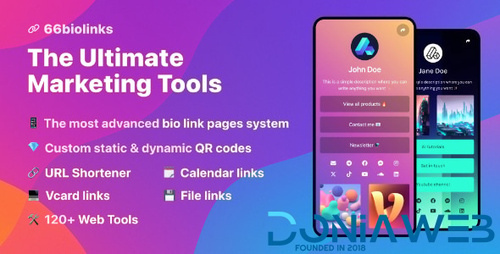
- 66biolinks - Bio Links, URL Shortener, QR Codes & Web Tools (SAAS) [Extended License]
- Uber Clone – Taxi Booking Script - Appkodes Cabso v1.0 v
- Buzzy v4.9.0 - News, Viral Lists, Polls and Videos
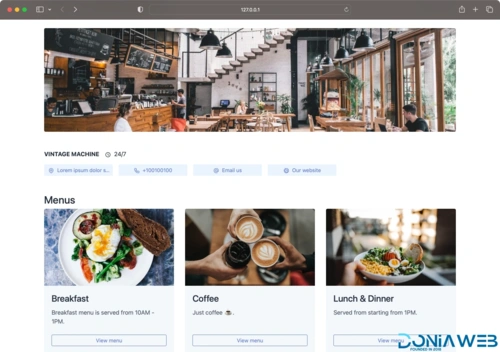
- 66qrmenu - Touchless QR Code Menus [Extended License]
- Gofer - Uber Clone Script
- Gofer - Uber Clone Script v2.2.1 Professional
- WHMCS v8.2.1 - Web Hosting Billing & Automation Platform
- GoferGrocery Grocery Delivery Script - Trioangle Professional
- GoferGrocery Grocery Delivery Script - Trioangle Professional v
- E-mailer v1.26 - Newsletter & Mailing System with Analytics + GEO location
Back to topAccount
Navigation
Search
Configure browser push notifications
Chrome (Android)
- Tap the lock icon next to the address bar.
- Tap Permissions → Notifications.
- Adjust your preference.
Chrome (Desktop)
- Click the padlock icon in the address bar.
- Select Site settings.
- Find Notifications and adjust your preference.
Safari (iOS 16.4+)
- Ensure the site is installed via Add to Home Screen.
- Open Settings App → Notifications.
- Find your app name and adjust your preference.
Safari (macOS)
- Go to Safari → Preferences.
- Click the Websites tab.
- Select Notifications in the sidebar.
- Find this website and adjust your preference.
Edge (Android)
- Tap the lock icon next to the address bar.
- Tap Permissions.
- Find Notifications and adjust your preference.
Edge (Desktop)
- Click the padlock icon in the address bar.
- Click Permissions for this site.
- Find Notifications and adjust your preference.
Firefox (Android)
- Go to Settings → Site permissions.
- Tap Notifications.
- Find this site in the list and adjust your preference.
Firefox (Desktop)
- Open Firefox Settings.
- Search for Notifications.
- Find this site in the list and adjust your preference.

- Modesy v2.3.2 - Marketplace & Classified Ads Script NULLED