




Everything posted by Asad Ullah
-
1 Year Subscription HAPP VPN Premium Plus [Windows, macOS, Android, iOS , TV]
- Active eCommerce CMS + Addons And Apps v11.0.0 NULLED
- FlashX Stablecoin Software (Flash USDT, USDC, PYUSD, BUSD)
- 12 comments
- 2 reviews
- 1 Year Subscription HAPP VPN Premium Plus [Windows, macOS, Android, iOS , TV]
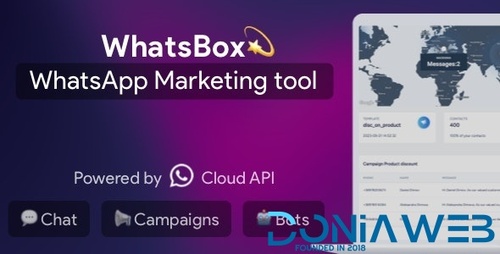
- WhatsBox - The WhatsApp Marketing - Bulk Sender, Chat, Bots, SaaS
- WhatsML – AI-Based Marketing & Automation Tools for WhatsApp (SaaS) 2.1 + Addons v2.1.0
- FinFunder - HYIP Investments and Crypto Trading on the Matrix Platform
- Turbo Seo backlink+Youtube Backlink Generator
- LaraClassifier - Classified Ads Web Application v12.2.0 NULLED
- Feberr v5.0 - Multivendor Digital Products Marketplace
- Surfow v6.1 - Traffic Exchange Service + Purchase code v6.1
- OraSchool Android App V2.0
- React App Builder - SaaS - Unlimited number of apps v12.0.3
- TM Redo V3.0.1 - hosting template WHMCS
- TM Clouder V3.0.1 - premium hosting template WHMCS
- TM Clean V3.0.1 - premium template for WHMCS
- LiveSmart Video Chat v2.0.37
- Booking Core v1.5.1 - Ultimate Booking System
- JOYSALE v3.0 - Letgo Clone
Back to topAccount
Navigation
Search
Configure browser push notifications
Chrome (Android)
- Tap the lock icon next to the address bar.
- Tap Permissions → Notifications.
- Adjust your preference.
Chrome (Desktop)
- Click the padlock icon in the address bar.
- Select Site settings.
- Find Notifications and adjust your preference.
Safari (iOS 16.4+)
- Ensure the site is installed via Add to Home Screen.
- Open Settings App → Notifications.
- Find your app name and adjust your preference.
Safari (macOS)
- Go to Safari → Preferences.
- Click the Websites tab.
- Select Notifications in the sidebar.
- Find this website and adjust your preference.
Edge (Android)
- Tap the lock icon next to the address bar.
- Tap Permissions.
- Find Notifications and adjust your preference.
Edge (Desktop)
- Click the padlock icon in the address bar.
- Click Permissions for this site.
- Find Notifications and adjust your preference.
Firefox (Android)
- Go to Settings → Site permissions.
- Tap Notifications.
- Find this site in the list and adjust your preference.
Firefox (Desktop)
- Open Firefox Settings.
- Search for Notifications.
- Find this site in the list and adjust your preference.
- Active eCommerce CMS + Addons And Apps v11.0.0 NULLED