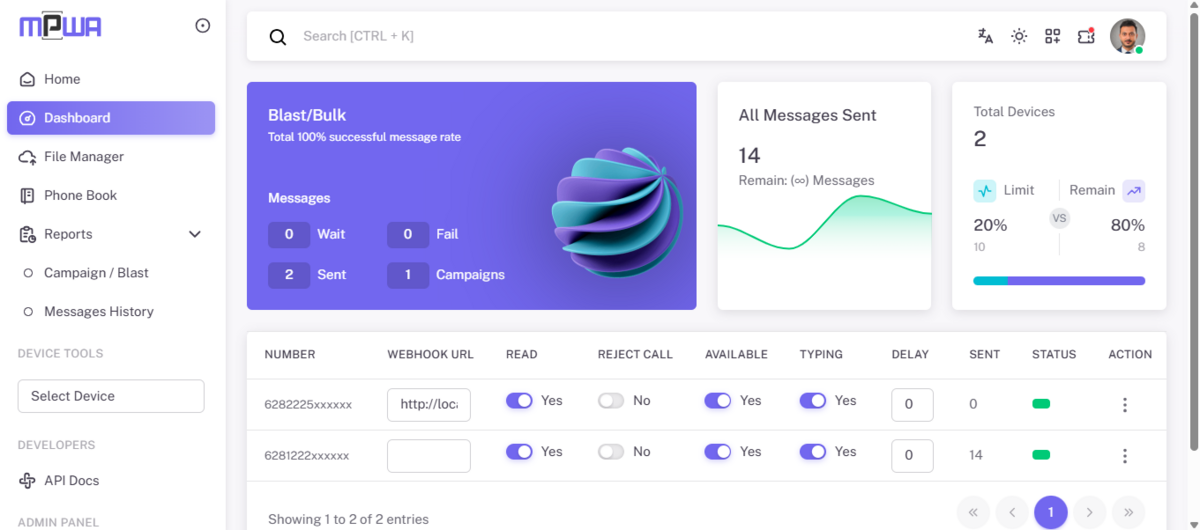

About This Club
specifically discussing the progress and features of mpwa
What's new in this club
-
wifu joined the club
-
boombooster joined the club
-
THUTTA MOHAN joined the club
-
Jei Grey joined the club
-
Kang Claim joined the club
-
Finansial Muda joined the club
-
Hartmann846 joined the club
-
RECHARGE 100 joined the club
-
Gz Gzgzgzgz joined the club
-
DjunDev joined the club
-
ruzak buah joined the club
-
Gilber Wan joined the club
-
Rachid Compaore joined the club
-
afzh5888 joined the club
-
Sulton Gemologi joined the club
-
Nati Iwah joined the club
-
Astro girl joined the club
-
gatotkaca joined the club
-
zaneta gallery joined the club
-
Abdulla Al-Khatam joined the club
-
coisas joined the club
-
jojoare joined the club
-
Revify joined the club
-
Gaurav Jethava joined the club
-
sravan joined the club
-
lordrangga joined the club
-
Sikat Bror joined the club
-
Germinal Gimenez joined the club
-
rustam effendy joined the club
-
anadarshh88 joined the club
-
STARLORD joined the club
-
cybermuda joined the club
-
Koperasi Pegawai joined the club
-
frenner joined the club
-
masihbelajar joined the club
-
Den Sofik joined the club
-
RC PANEL joined the club
-
Tubagus Official joined the club
-
Aditya Maddheshiya joined the club
-
Random Dev joined the club
-
Squizee Tech Solutions joined the club
-
A Sarkar joined the club
-
abubakr muhammed joined the club
-
l.o.l joined the club
-
Puja Widya joined the club
-
CoreAPI Hub joined the club
-
Naresh Choudhary joined the club
-
somnath kumar joined the club
-
Pedro Chass joined the club
-
Deny blogers joined the club
-
Account
Navigation
Search
Configure browser push notifications
Chrome (Android)
- Tap the lock icon next to the address bar.
- Tap Permissions → Notifications.
- Adjust your preference.
Chrome (Desktop)
- Click the padlock icon in the address bar.
- Select Site settings.
- Find Notifications and adjust your preference.
Safari (iOS 16.4+)
- Ensure the site is installed via Add to Home Screen.
- Open Settings App → Notifications.
- Find your app name and adjust your preference.
Safari (macOS)
- Go to Safari → Preferences.
- Click the Websites tab.
- Select Notifications in the sidebar.
- Find this website and adjust your preference.
Edge (Android)
- Tap the lock icon next to the address bar.
- Tap Permissions.
- Find Notifications and adjust your preference.
Edge (Desktop)
- Click the padlock icon in the address bar.
- Click Permissions for this site.
- Find Notifications and adjust your preference.
Firefox (Android)
- Go to Settings → Site permissions.
- Tap Notifications.
- Find this site in the list and adjust your preference.
Firefox (Desktop)
- Open Firefox Settings.
- Search for Notifications.
- Find this site in the list and adjust your preference.






.thumb.jpg.fa4924a050b4ced3165cbcbb38690bd1.jpg)