







Skip to content
View in the app

A better way to browse. Learn more.

DoniaWeB

A full-screen app on your home screen with push notifications, badges and more.

To install this app on iOS and iPadOS
  1. Tap the Share icon in Safari
  2. Scroll the menu and tap Add to Home Screen.
  3. Tap Add in the top-right corner.
To install this app on Android
  1. Tap the 3-dot menu (⋮) in the top-right corner of the browser.
  2. Tap Add to Home screen or Install app.
  3. Confirm by tapping Install.
     

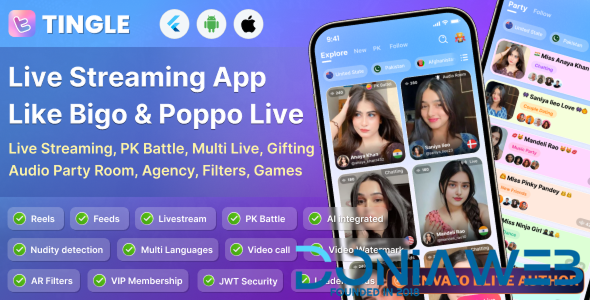
Tingle: Live streaming, PK battle, Audio room, Games, Agency source code, Poppo clone, Android & iOS 1.0.0

(0 reviews)

1 Screenshot

Tingle is a premium, professionally designed Flutter UI template built for modern real-time social apps. Inspired by top platforms like Poppo, this UI kit is tailored for building powerful apps that combine Dating, Live Streaming, Audio – Video Calling, PK Battles, Audio Rooms, Games and more into one seamless experience.

Android Demo :
Click Here
iOS Demo : Click Here
Admin panel Demo : Click Here

This item includes the UI only. If you’re interested in the complete working app with backend, admin panel, and full features, please contact us directly.

User Feedback

You may only provide a review once you have downloaded the file.

There are no reviews to display.

Account

Navigation

Search

Search

Configure browser push notifications

Chrome (Android)
  1. Tap the lock icon next to the address bar.
  2. Tap Permissions → Notifications.
  3. Adjust your preference.
Chrome (Desktop)
  1. Click the padlock icon in the address bar.
  2. Select Site settings.
  3. Find Notifications and adjust your preference.

