






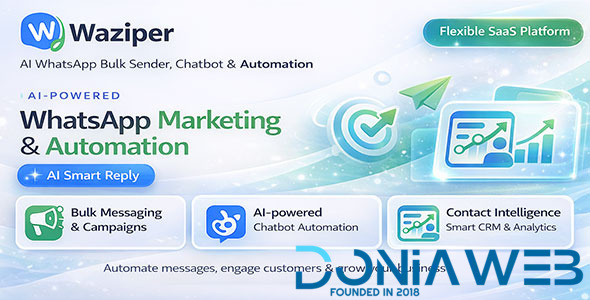
🚀 Replix – AI WhatsApp Bulk Sender, Chatbot & Automation Platform (SaaS)
Replix is a powerful AI-powered WhatsApp Marketing & Automation SaaS platform that helps you send bulk messages, automate conversations, and manage customer communication in one centralized system.
Designed for businesses, marketers, agencies, and SaaS providers, Replix allows you to scale WhatsApp marketing and customer engagement efficiently.
🔥 Key Highlights
AI Smart Reply: Generate intelligent, context-aware responses instantly
Bulk Messaging Engine: Send messages to thousands of contacts
Automation System: Auto Reply & Chatbot workflows
Contact Management: Organize and reuse customer lists
Export Participants: Collect contacts from WhatsApp groups
Advanced Reports: Monitor performance and activity
SaaS Ready: Manage users, plans, and subscriptions
💡 Core Features
📤 Bulk WhatsApp Messaging
Send messages to unlimited contacts
Multi-account support
Rotate accounts to reduce risk
Schedule campaigns for future sending
Random delays to simulate human behavior
Support text, images, videos, and files
🤖 Automation System
Auto Reply: Automatically respond to incoming messages
Chatbot: Keyword-based automation
AI Smart Reply: AI-assisted human-like responses
📊 Reports & Analytics
Track sent, failed, and total messages
Monitor automation performance
View daily trends and statistics
Analyze campaign effectiveness
👥 Contact Management
Create and manage contact groups
Import contacts via CSV
Segment audiences easily
Reuse contacts for campaigns
📥 Export Participants
Extract members from WhatsApp groups
Build lead lists quickly
Use data for future campaigns
⚙️ Advanced Messaging Features
SpinTax (random message variations)
Message personalization variables
Send to numbers not saved in contacts
Media support (image, video, PDF, file)
Campaign scheduling system
🎯 Use Cases
WhatsApp Marketing Campaigns
Customer Support Automation
Lead Generation & Follow-up
Sales & Customer Engagement
Business Notifications & Alerts
🌐 SaaS Platform Features
Multi-user system
Subscription plans & permissions
User management dashboard
Scalable for SaaS business model
Monetize WhatsApp services
🔐 System & Security
Secure authentication system
Multi-account management
Cloud storage integration
Multilingual support
Responsive UI (desktop & mobile)
⚡ Why Choose Replix?
All-in-one WhatsApp marketing solution
AI-powered communication
Built for SaaS scalability
Easy to use and highly flexible
No dependency on third-party platforms
🧪 Demo Access
User Demo:
User: userdemo
Password: 123456
Admin Demo:
User: admindemo
Password: 123456
Preview: Your Demo URL Here
📌 Requirements
PHP & MySQL supported server
Node.js WhatsApp Server
Basic server knowledge recommended
⚠️ Important Notes
This software uses WhatsApp Unofficial API
Performance depends on server quality
Avoid spam behavior to maintain account stability
Extended license required for SaaS resale
-
 1
1



.thumb.png.bb0bf549f311386c17a735d76c58dc29.png)










You may only provide a review once you have downloaded the file.
There are no reviews to display.