






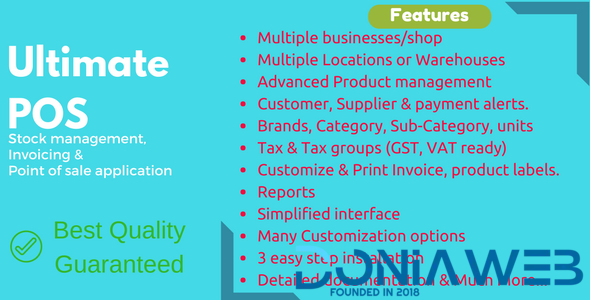
Key Features:
Multiple Business/Shops:
Set up multiple businesses in the application.
No restriction on numbers of businesses.
Inventory & accounting information is kept separately for each business.
Add Location / Storefronts / Ware House:
Create multiple locations for your business/shop
Manage all of them at the same time.
Stocks, Purchases, Sell can be tracked differently for locations.
Customize invoice layout, invoice scheme for each location
User & Role Management:
Powerful user and role management system
Predefined roles – Admin & Cashier
Create different Roles with permission as per your need.
Create unlimited users with different roles.
Contacts (Customer & Suppliers):
Mark contact as customer or supplier or both(customer & Supplier)
View details of transactions with a contact.
View total of Credit/Debit balance amount
Define pay term and get payment alerts week before the due date.
Products:
Manage Single & Variable products.
Classify products according to Brands, Category, Sub-Category.
Add products having different units
Add SKU number or auto-generate SKU number with prefixes.
Get stock alerts on low stock.
Save time by auto calculating selling price, the system is smart to auto calculate selling price based on purchase price and profit margin.
No need to type variations every time, create variation template and use it everytime you need to create variable products.
Purchases:
Easily add purchases.
Add purchase for different locations.
Manage Paid/Due purchases.
Get Notified of Due purchases week before the pay date.
Add discounts & Taxes
Sell:
Simplified interface for selling products
Default Walk-In-Customer automatically added to a business
Add new customer from POS screen.
Ajax based selling screen – save reloading time
Mark an invoice for draft or final
Different options for payments
Customize invoice layout and invoice scheme.
Manage Expenses:
Easily add business expenses
Categorise expenses
Analyse expenses based on category and business locations with expenses report.
Reports:
Purchase & Sale report
Tax Report
Contact Reports
Stock Reports
Expense Report
View Trending Products, drill down by Brands, Category, Sub-category, Units and date ranges
Expense Reports
Cash Register Report
Sales Representative report
Other useful feature:
Set currency, timezone, financial year, the profit margin for a business.
Translation ready.
Predefined barcode sticker settings.
Create your barcode sticker setting
Manage Brands, Tax Rate & Tax groups, Units, Category & Sub-Category
Easy 3 steps installation.
Detailed documentation
Stock Adjustment
Express Checkout
Works Offline
What's New in Version 7.0
Released
V 7.0 – Released on May 11, 2026
NEW: Redesigned Calculator with a fresh new interface
NEW: Calculator now supports keyboard input
NEW: Calculator now displays the history of previous calculations
NEW: POS screen refreshed with a modern new design
NEW: Cash register section in the POS screen redesigned for improved usability & easier understanding
NEW: Added option to record customer payments directly from the POS screen (DOC)
NEW: Search option added to the left navigation for quicker access to menus
NEW: ‘Export to PDF’ – Added Portrait and Landscape options for PDF export (Landscape mode supports more columns)
IMPROVED: Improved Profit & Loss page design
IMPROVED: ‘Export to PDF’ now includes images present in the table
IMPROVED: Improved field widths on the Direct Sell screen for better usability
FIXED: Fixed issue causing multiple sales when shortcut buttons were pressed repeatedly
FIXED: missing column issue in Product History Excel export
-
 14
14
-
 7
7
-
 3
3
-
.png) 4
4




.thumb.png.bb0bf549f311386c17a735d76c58dc29.png)









You may only provide a review once you have downloaded the file.