





Skip to content
View in the app

A better way to browse. Learn more.

DoniaWeB

A full-screen app on your home screen with push notifications, badges and more.

To install this app on iOS and iPadOS
  1. Tap the Share icon in Safari
  2. Scroll the menu and tap Add to Home Screen.
  3. Tap Add in the top-right corner.
To install this app on Android
  1. Tap the 3-dot menu (⋮) in the top-right corner of the browser.
  2. Tap Add to Home screen or Install app.
  3. Confirm by tapping Install.
     

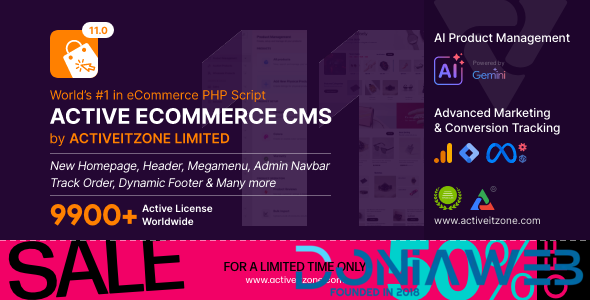
Active eCommerce CMS 11.0.0 NULLED

(14 reviews)

1 Screenshot

Active eCommerce CMS NULLED

A powerful platform to make you an eCommerce entrepreneur

Purchase Codes

Main Purchase Code and Secret Key: b15c483b-686a-1343-a919-810ac895d0dc

Addon Name | Purchase Code
--------------------------------------------------------------
affiliate_system | b9ae86b1-aeb5-4d61-a9bc-237c1414847c
african_pg | 5c435420-cb1c-4026-aed5-1df1b5460f3a
paytm | a80696b3-48e5-4f61-b597-54f0484de835
auction | 62fc602f-c049-4beb-8c02-763a6d12314d
club_point | 8017e980-6eb1-4143-8e67-3bc4b8e06cdc
cybersource | 23e37036-6f0b-4f74-b645-d298628e47f8
delivery_boy | 7483a47c-c967-44fb-8160-7f2755f6263a
kapitalbank | 91f338ef-f334-4aba-8e6f-82695db47467
offline_payment | b40c804d-7f4a-4ab1-a447-0e6c17cc4047
otp_system | 8a5a0163-1319-420e-9c34-bb9da3ddb37e
pos_system | a19d450e-47d4-4c74-ba4d-04e6b9acce70
preorder | 43e07af2-3ca0-4d32-b9b4-450570d446ec
refund_request | 21f0ad4e-a4f6-41ff-870a-5ded7c91b282
seller_subscription | 6fb2cbaf-f65e-4c9a-bf18-7d4c526189a9
wholesale | 8691e747-e530-49e4-a0aa-cb3a98d5784e
kapitalbank | 91f338ef-f334-4aba-8e6f-82695db47467
google_one_tap | 73fd24b0-a210-4dc0-9b07-3dab24d89db7
piprapay | e2ac4339-0c4c-43a2-92f2-87032cb65fa9 

Laravel based PHP script

Developed with most powerful PHP framework Laravel
 

100% Responsive design

The entire layout is available to 100% fit for any sizes of screen
 

Multivendor system

Complete system for making your Multivendor system
 

Basic eCommerce

By a click, you can turn the total system from Multi vendor system to B-C format
 

Available Multi-currency

Multi-currency option makes this system border-less eCommerce platform


List of ADDONS:

Active eCommerce Flutter App
Active eCommerce Delivery Boy Flutter App
Active eCommerce Offline Payment Add-on
Active eCommerce POS Manager Add-on
Active eCommerce Affiliate add-on
Active eCommerce African Payment Gateway Add-on
Active eCommerce Refund add-on
Active eCommerce Seller Subscription Add-on
Active eCommerce Club Point Add-on
Active eCommerce OTP add-on
Active eCommerce Auction Add-on
Active eCommerce Paytm add-on
Active eCommerce Seller App
Active eCommerce Wholesale (B-B) Add-on

What's New in Version 11.0.0 NULLED

Released

Version : 11.0 (25/05/2026)

EEPERIENCE ENHANCEMENTS
NEXA – A Wider Canvas for Modern Commerce
Beautifully designed full-width homepage experience for modern brands. Immersive layouts, cleaner visual flow & expansive storefront presentation.

New Header to Match Your Style
Sleek, intelligent and visually refined header experience. Header full-width option now dynamic for all layouts.

New Megamenu for Your Store
Completely reimagined megamenu system for faster discovery & smarter interaction. Dynamically adapts to everything.

Footers That Speak Your Brand
Modern, flexible and customizable dynamic footers tailored to reflect your brand with clarity and style.

Dynamic Footer & Related Sections
Fully customizable footer sections with enhanced visual controls. Adjust sub-footer colors, typography, policy styles or toggle sections on and off.

Order Tracking
Redesigned tracking experience with configurable controls from Business Settings. Clearer shipment visibility and smoother post-purchase journey.

PLATFORM UPDATES
The New & Organized Admin Navigation
Thoughtfully reorganized admin panel navigation for faster access and smoother workflow. More structured, intuitive, and effortlessly accessible.

A Dynamic NavBar Experience
Personalize admin environment with dynamic navbar styling. Adjust background and text colors for brand-aligned workspace.

Reshaping The Product Management Experience
Completely restructured workflow with Home, Products, Setup and Operations sections. Better visibility, cleaner management, faster control.

Marketing, All Under One Roof
Unified Marketing Home bringing every promotional tools into one workspace. Plan, manage, and execute from one streamlined hub.

The New Marketing Analytics Home
Newly crafted analytics environment for smarter decisions. Access insights, tracking tools & performance data through cleaner, organized workspace.

Introducing Design Studio
Creative center for shaping entire storefront experience. Layout & Navigation, Brand & Style all visual controls in one powerful destination.

Reshaping The Feature Activation
Thoughtfully reorganized feature activation for faster access and smoother workflow. More structured, intuitive and effortlessly accessible.

TECHNICAL IMPROVEMENTS
Applied Sellers, All Sellers , Rating & Followers New Table
Upgraded AJAX-powered listing table for faster management and smoother browsing. Bulk delete functionality added. Fixed seller bulk commission setup issue.

All Email Templates
Unified Ajax-powered listing system for faster interaction and improved performance.

Navbar Redirect Improvement
Fixed incorrect navbar redirection to Inhouse Products while editing seller products.

Carrier Wise Shipping Fix
Resolved incorrect shipping cost calculations when single country enabled in carrier-wise shipping.

User Feedback

Recommended Comments

Hi, thanks for the script, how can I install the plugins because it asks for a purchase code

thanks its ok but ecommerce app dont run success say app is unactivated how i active it

vdro

Members

On 9/24/2023 at 10:23 AM, حسن راسخی said:

Hi, thanks for the script, how can I install the plugins because it asks for a purchase code

Use any code it will accept it. That's how I did mine.

vdro

Members

After installing pos addon v1.9, whenever I clicked on pos manger it brings out error 500, does anyone know how to solve it? The following is the Error message... 

Something went wrong!

Sorry for the inconvenience, but we're working on it.
Error code: 500

vdro

Members

The flash Deal page of this active ecommerce cms doesn't populate or show anything when I add flash products through marketing tag in admin, can somebody help me out? Note that I am using 7.9.0 which I updated to 7.9.3.

Meeyal

Members

the app is inactivated error is showing

widchy95

Members

The plugins are not up to date 

kod007

Members

version : 8.3 upload please

Omezah

Members

The flutter app not working and seller app in android Studio 


Please anyone help

aziz2424

Members

version : 9.3 (11/09/2024)

NIKKOO

Members

Someone help me with the installation in the purchase code part and the system key that it asks for

deku

Members

Very Nice File . Good

Golden Kite

Members

On 9/24/2023 at 2:53 PM, حسن راسخی said:

Hi, thanks for the script, how can I install the plugins because it asks for a purchase code

I have fully working files with app and addons

On 8/17/2023 at 11:48 PM, Mahmoud said:

Updated

the app is howing “App is Inactivated“ so is ur code is fully activated?

Golden Kite

Members

On 12/4/2024 at 6:35 PM, Golden Kite said:

I have fully working files with app and addons

the app is howing “App is Inactivated“ so is ur code is fully activated?

i have fully working paid

daf

Members

I am currently stocked here with Active It Zone Product Activation. The installation stopped at this point, and it’s asking me to add a valid purchase code. How do I get that?

Golden Kite

Members

17 hours ago, daf said:

I am currently stocked here with Active It Zone Product Activation. The installation stopped at this point, and it’s asking me to add a valid purchase code. How do I get that?

I HAVE WORKING ALL APP AND SOURCE IF YOU NEED THEN INBOX

alex2120

Members

When I am going to install/update on live server it is asking for Purchase Code and System Key, what should I do now?

Screenshot 2024-12-14 005123.png

NIKKOO

Members

put any number in the 2 parts

Join the conversation

You can post now and register later. If you have an account, sign in now to post with your account.
Note: Your post will require moderator approval before it will be visible.

Guest
Unfortunately, your content contains terms that we do not allow. Please edit your content to remove the highlighted words below.
Add a comment...

Other files from Mahmoud

Account

Navigation

Search

Search

Configure browser push notifications

Chrome (Android)
  1. Tap the lock icon next to the address bar.
  2. Tap Permissions → Notifications.
  3. Adjust your preference.
Chrome (Desktop)
  1. Click the padlock icon in the address bar.
  2. Select Site settings.
  3. Find Notifications and adjust your preference.















