






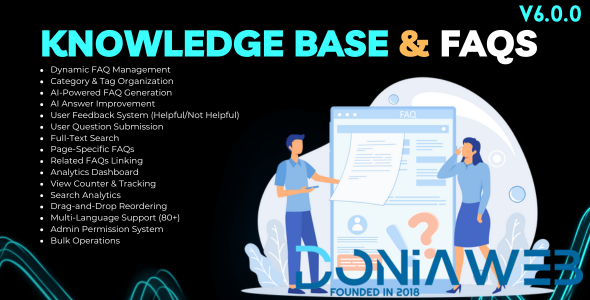
FAQ System for Bicrypto Features
Dynamic FAQ Management: Create, edit, and organize unlimited FAQ entries with rich text answers, images, categories, and tags.
Category Organization: Organize FAQs into categories with dynamic category creation and filtering for easy navigation.
Tag System: Add up to 10 tags per FAQ with AI-suggested tags for improved discoverability and organization.
AI-Powered FAQ Generation: Generate complete FAQs from topics using DeepSeek AI with optional context for accurate content creation.
AI Answer Improvement: Enhance existing FAQ answers with AI to make them more comprehensive, clear, and helpful.
AI Content Summarization: Create concise summaries of FAQ content using AI for quick overviews.
AI Question Answering: Generate answers to user questions based on existing FAQ knowledge base.
Batch AI Processing: Process multiple FAQs, entire pages, or all FAQs at once with progress tracking and results summary.
User Feedback System: Thumbs up/down voting with optional comments to measure FAQ helpfulness and gather user insights.
User Question Submission: Allow users to submit questions not found in FAQs with admin review and answer workflow.
Question Status Management: Track user questions through PENDING, ANSWERED, and REJECTED statuses with admin responses.
Convert Questions to FAQs: One-click conversion of answered user questions into published FAQ entries.
Full-Text Search: Search across questions and answers with real-time results and search suggestions.
Search Analytics: Track search queries, result counts, and popular search terms for content optimization.
Page-Specific FAQs: Associate FAQs with specific application pages for contextual help and in-page display.
Related FAQs Linking: Link related FAQs together for cross-referencing and improved user navigation.
View Counter: Track FAQ views with automatic counter increment and view analytics over time.
Analytics Dashboard: Comprehensive metrics including total FAQs, views, helpfulness ratings, category distribution, and trends.
Most Viewed FAQs: Track and display top-performing FAQs by view count with category and rating information.
Feedback Analytics: Monitor positive/negative feedback trends with time-series charts and monthly comparisons.
Category Distribution: Visualize FAQ distribution across categories with counts and percentages.
Drag-and-Drop Reordering: Easily reorder FAQs within and across pages with transactional updates.
Bulk Operations: Perform bulk status changes, category updates, tag updates, and deletions on multiple FAQs.
Page-Level Actions: Enable/disable or delete all FAQs for a specific page with single-click actions.
FAQ Preview: Preview FAQ rendering before publishing with full formatting and image display.
FAQ Accordion Display: Collapsible accordion interface with smooth animations, category badges, and card variants.
Recently Viewed Tracking: Track and display user’s recently viewed FAQs for quick access.
Saved FAQs Bookmarking: Allow users to bookmark FAQs for later reference via localStorage.
FAQ Wizard: Interactive guided matching to help users find relevant FAQs through step-by-step questions.
Multi-Language Support: Full internationalization with 80+ language translations for global accessibility.
Admin Permission System: Granular permissions for create, view, edit, delete FAQs, feedback, questions, and analytics access.
Rate Limiting: Built-in protection against spam for question submissions and feedback voting.
XSS Prevention: HTML sanitization and input escaping for secure content handling.
Soft Delete Support: Paranoid mode deletion for data recovery and audit compliance.
FAQ System for Bicrypto Demo Access
Link: FAQ Public Page
Link: Admin FAQ Dashboard
Link: Admin FAQ Management
Link: Admin User Questions
Link: Admin User Feedback
Link: Admin AI Assistant
FAQ System for Bicrypto Documentation
Link: Installation Guide
Link: Categories Management
Link: AI Integration Guide
FAQ System for Bicrypto Requirements
Link: Bicrypto (core)
What's New in Version 6.0.0
Released
Last Update | 17 December 2025 |




.thumb.png.bb0bf549f311386c17a735d76c58dc29.png)









You may only provide a review once you have downloaded the file.
There are no reviews to display.