






(2).jpg.c01fb08674103c99f72d6ecdc8d86958.jpg)
ShaunSocial is a PHP Social Network Script. It is the first truly Laravel social network framework for building fast, scalable and secure content-driven social network websites and mobile apps.
Our script supports native apps and uses the latest technology for building web and apps. It’s designed to be scalable when your community grows.
For the front end, we design the interface in a simple, content-oriented style, friendly to all devices using Vue.js technology.
For the backend, we use laravel framework, a very popular platform and is being used by many developers. This helps you easily find developers when you want to change or develop new features to change ShaunSocial to suit your business model.
For mobile apps, we use flutter, the world’s most popular mobile app development framework. Mobile apps and front end communicate with backend through API.
Regarding database, we use MariaDB and MySQL
What's New in Version 1.5
Released
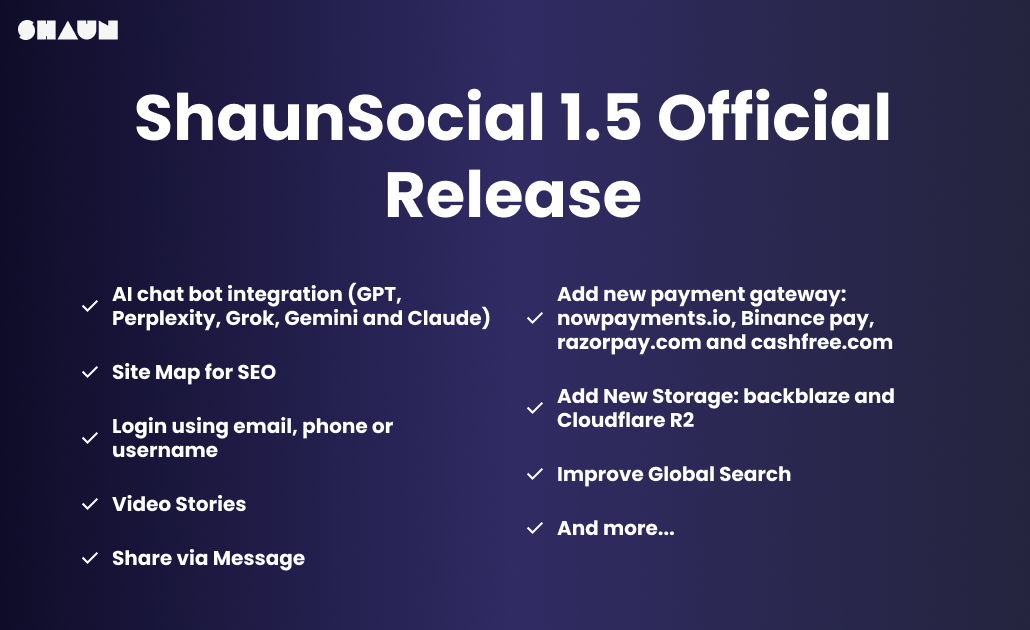
We’re excited to announce the release of ShaunSocial 1.5, a major upgrade packed with powerful features, performance improvements, and next-gen integrations. This version makes it easier than ever for communities, creators, and enterprises to build their own social platforms with flexibility and scalability.
What’s New in ShaunSocial 1.5?
Site Map for SEO – Automatically generate site maps to improve search engine indexing.
Video Stories – Members can now upload videos to stories for richer engagement.
Improved Sharing – Simplified “share via message”: send directly to selected members without selecting a list.
Share Paid Content Upgrade – Automatically generate blurred thumbnails for locked premium posts.
Creator Onboarding Flow – A step-by-step process that guides members to become creators and start earning faster.
Two-Factor Authentication (2FA): SMS, Auth Apps or Email
Post Modal UX – Close by clicking outside the modal (no need to find the X).
Reel/Vibb Module – Added controls to forward or reverse vibb videos when watching.
New Storage Options – Backblaze and Cloudflare R2 integration for flexible, cost-effective storage.
Expanded File Types – Support for webm and heic formats in posts.
Framework Upgrade – Migrated to the latest Laravel & Vue for better performance and developer experience.
Payment Gateways – Added support for NOWPayments, Binance Pay, Razorpay, and Cashfree.
AI Chatbot Integration – Seamless plug-ins for GPT, Perplexity, Grok, Gemini, and Claude.
Login Flexibility – Users can now log in with email, phone number, or username.
Site moderation – Admin and super admin can view all feeds by default regardless the Home feed setting in admin panel
Profile page: Add title for “Link” field
Translation – Google translation option to post to allow to translate content posted by user thru google api (will be a patch file after 1.5 is released)
Fundraising plugin (contact us here if you’re interested in this plugin)
Allow to translate the name of the language also.
Tags, hashtags and links inside a story are clickable
Allow member to search content in pages like we did for groups
Global search improvement – user can see his/her search history
Option to “auto play video” option in admincp for admin to turn on/off
Fixed the found bugs from version 1.4 and a lot of small improvements
Why This Release Matters
ShaunSocial 1.5 focuses on creator empowerment, monetization, modern media formats, and enterprise-level integrations, making it a powerful choice for schools, enterprises, fan clubs, and communities worldwide.
-
 8
8
-
 1
1




.thumb.png.bb0bf549f311386c17a735d76c58dc29.png)









You may only provide a review once you have downloaded the file.