






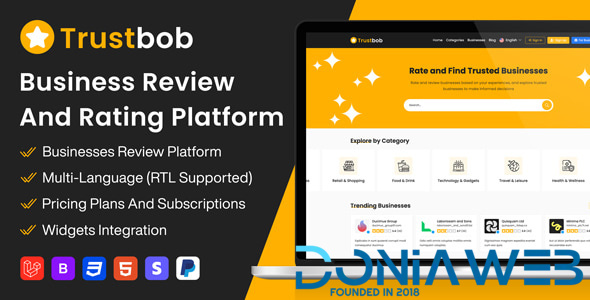
Trustbob is a powerful and modern business review platform that lets users discover, review, and rate businesses with ease. Built with performance and scalability in mind, Trustbob offers everything you need to launch your own business review website.
Whether you’re building a local directory, a global brand review site, or a SaaS-based solution, Trustbob provides all the essential tools—advanced review system, user profiles, business verification, categories, and more. With a clean interface and responsive design, it delivers a seamless experience on any device.
Demo and documentation
Frontend
Link : https://trustbob.net
User Panel
Link : https://trustbob.net/login
Email : [email protected]
Password : User1234
Business Panel
Email : [email protected]
Password : Business1234
Admin Panel
Link : https://trustbob.net/admin
Email : [email protected]
Password : Admin1234
Documentation
Top Features
Multi-Business Support
Each business owner can add and manage multiple businesses under a single account.
Review Management & Replies
Business owners can view, manage, and respond to customer reviews directly from their dashboard.
Employee Management
Businesses can add team members or employees with specific access roles to help manage reviews and business settings.
Multiple Categories per Business
Businesses can be listed under multiple relevant categories to increase visibility and improve discovery.
Trust Widget Integration
Businesses can embed customizable review widgets on their own websites.
Public Profiles
Detailed public profiles for users, showcasing their reviews,and reviewed businesses.
Blog Integration
Admins can create and manage blog articles to share updates, news, and engage with the community.
Advertisements
Designated ad zones allow you to monetize the platform through advertisements.
Full Email Notifications
Send automated email alerts for new reviews, replies, verification updates, and more.
SaaS Subscription System
The platform includes a full SaaS model allowing business owners to subscribe to paid plans with different feature sets. (Extended license required)
Flexible Pricing Plans
Admins can create and manage multiple subscription plans with custom pricing, duration, limits, and features.
Business Owner Subscriptions
Business owners can choose a plan, subscribe, upgrade, or cancel anytime via their dashboard.
Transaction History
Business owners have access to detailed billing and transaction logs for their subscriptions.
Secure Payments
Supports secure payment processing with multiple gateways to protect business-related transactions.
KYC Verification
Includes Know Your Customer (KYC) verification to enhance trust and platform integrity.
SEO Friendly
Optimized for search engines with SEO-friendly URLs, meta tags, and structure.
Sitemap Auto-Generation
Automatically generates a sitemap daily to keep search engines updated with new content.
Responsive Design
Fully responsive layout for a seamless experience across all devices and screen sizes.
Customization Options
Easily customizable to match your brand’s colors, logo, and unique requirements.
Analytics and Reporting
Advanced analytics tools to monitor user engagement, business performance, and site activity.
Multi-Language with RTL Support
Supports multiple languages with full Right-to-Left (RTL) compatibility.
Two-Factor Authentication (2FA)
Enhances user and admin account security by requiring a second form of authentication.
Admin Dashboard
Comprehensive admin panel to manage users, businesses, reviews, settings, and more.
What's New in Version 1.5
Released
Version 1.5
[NEW] Added business multiple locations feature
[NEW] Added ability to write a review for specific business location
[NEW] Forwarding contact email to business location email
[NEW] Showing business location details in business page
[NEW] Showing the location name on review
[NEW] Added 6 new widgets including reviews slideshow and section
[NEW] Added a share button to share the business page on social media
[NEW] Added favorite button to the business page
[NEW] Added a favorites page to the user profile showing all favorite businesses
[NEW] Added Google Maps API to display business location on maps
[NEW] Applied location filters to business search results
[NEW] Added location filter to business reviews on business dashboard
[NEW] Added most reviewed locations to business dashboard
[NEW] Added ability to add single business location from business dashboard
[NEW] Added ability to import business locations from business dashboard
[NEW] Added an option to export reviews from the business dashboard
[NEW] Added Tiktok to business social links
[NEW] Added Vkontakte to business social links
[NEW] Added Telegram to business social links
[NEW] Added Whatsapp to business social links
[NEW] Added enable or disable the locations feature based on the subscription plan
[NEW] Added enable or disable the reviews export feature based on the subscription plan
[NEW] Added control over review replies based on the subscription plan
[NEW] Added ability to add single business location from admin dashboard
[NEW] Added ability to import business locations from admin dashboard
[UPDATE] Updated Laravel packages
[UPDATE] Replaced gallery modal with jQuery Fancybox for viewing gallery images and videos
[UPDATE] Optimized sitemap generation for faster indexing
[UPDATE] Optimized database queries for faster data retrieval
[UPDATE] Improved security measures and validation handling
[UPDATE] Disabled updating business slug when updating business details in business dashboard
[UPDATE] Require business ownership verification to update business details
[UPDATE] Updated business bulk upload file format to support XLS and XLSX files
[UPDATE] Updated business embed widgets to support new features
[UPDATE] Updated the integration section design in business dashboard
[FIXED] Fixed an issue when saving business website URLs
[FIXED] Fixed translation issues in plan custom features
[FIXED] Fixed an issue with Google OAuth login
[FIXED] Fixed an issue with trustip IP detection-
 2
2
-
 2
2




.thumb.png.bb0bf549f311386c17a735d76c58dc29.png)









Recommended Comments
Join the conversation
You can post now and register later. If you have an account, sign in now to post with your account.
Note: Your post will require moderator approval before it will be visible.