




Skip to content
View in the app

A better way to browse. Learn more.

DoniaWeB

A full-screen app on your home screen with push notifications, badges and more.

To install this app on iOS and iPadOS
  1. Tap the Share icon in Safari
  2. Scroll the menu and tap Add to Home Screen.
  3. Tap Add in the top-right corner.
To install this app on Android
  1. Tap the 3-dot menu (⋮) in the top-right corner of the browser.
  2. Tap Add to Home screen or Install app.
  3. Confirm by tapping Install.
     

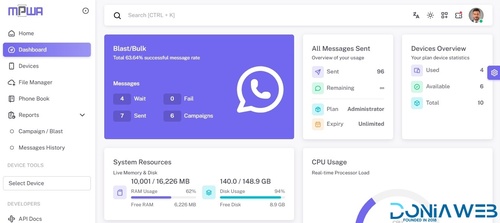
Whatsapp Gateway | Multi Device v15.0.0

Featured Replies

On 6/25/2026 at 5:39 PM, Magd Almuntaser said:

Yes, this week I will release the (old autoreply plugin) for those who want to use the old method..

Hi Mr. @Magd Almuntaser
I hope you're doing well. I just wanted to follow up on the old Auto Reply plugin that you mentioned would be released this week.
I have several clients who rely on this feature, and setting up simple automations on mobile is much easier with the old method than with Chatbot Flow. It would really help us if it could be released soon.
Thank you for all your hard work and continuous improvements to MPWA. We truly appreciate it. 🙏

  • Replies 9.5k
  • Views 1.3m
  • Created
  • Last Reply

Top Posters In This Topic

Most Popular Posts

  • Magd Almuntaser
    Magd Almuntaser

    What's new in version 11.0.0 (so far): - Added Chat System (Customer Service). - Fixed Connection problems With WhatsApp. - Fixed Generate QR Via API. - Fixed Delete Sections From Edit List Page. - Fi

  • Magd Almuntaser
    Magd Almuntaser

    English: Version 14.0.0 is now nearly complete. A lot has been changed in this version because of the plugin system, as features have been separated and converted into plugins. Therefore: Testers are

  • Magd Almuntaser
    Magd Almuntaser

    Version 11.0.1 has been released What's new in version 11.0.1: - Fixed Stop/Start AI In Conversations. - Fixed Chat Date (Database). - Fixed Migrate To Database. - Fixed Plans Page.

Most Helpful Posts

  • Magd Almuntaser
    Magd Almuntaser

    English (EN) I have already informed you that WhatsApp is rolling out new updates. These updates are being sent to some numbers first and will gradually reach all numbers worldwide. The first update i

  • Magd Almuntaser
    Magd Almuntaser

    What will be available in version 11.0.0: - A chat system will be added. - A customer service system will be added (integrated with chat). - Some Indian payment gateways will be added. - Order design

  • i give you the step: Stop your Node server. Download the files validate-connection.js and validate-connection.d.ts from the links provided below. Go to the directory: /your_mpwa_directory/node_modul

Posted Images

is there anything the same as me? node.js dead? but if you open the page, the device page, does node.js come back to life?

  • Community Expert
  • Author

- Updated DapuriX TapTask v2.0.8 (By DapuriX) [ @MURASAKI. ] - [To support DapuriX, click here]
|------> Added per-task SLA classification.
|------> Added required SLA field for manual task creation.
|------> Added task SLA timestamps and audit events.
|------> Added Request task category support.
|------> Added admin-only live license status check.

screenshot.webp

  • Community Expert
  • Author

- Updated Prayer Times v1.5.0 (By Magd Almuntaser) - [To support Magd, click here]
|------> Fixed legacy WhatsApp group recipient ID handling.
|------> Fixed consistent support for legacy group IDs across manual entry, Excel/CSV import, and scheduled reminders.

screenshot.webp

4 hours ago, RAGHAVENDRA PRATAP MAURYA said:

@Magd Almuntaser

We scan our number and send msg, msg status show sent and report show sent but msg not delivered on receiver numbers.

Tell me how to resolve this issue.

Some scan numbers working and some scanner number not working.

yeah same here

  • Community Expert
  • Author
On 7/6/2026 at 3:11 AM, Egik Arya said:

yeah same here

Version 15.0.0 is coming and includes many changes to the Bailyas system..

8 minutes ago, Squizee Tech Solutions said:

@Magd Almuntaser

Hi pls fix this asap pls i m facing from many days

image.png

image.png

If you are unable to update the version, it appears that you have a PHP ext that is not installed..

Go to this file:

storage/log/laravel.log

And delete it .. after delete thia file got to update page again and try to update

When you see error 500 go to again to:

storage/log/laravel.log

And send it to me to see what is the problem ..

  • Community Expert
  • Author
14 minutes ago, Squizee Tech Solutions said:

@Magd Almuntaser have u checked it brother its urgent

Yes this is your problem:
production.ERROR: file_get_contents(): https:// wrapper is disabled in the server configuration by allow_url_fopen=0

allow_url_fopen PHP option is disabled on your hosting, and it needs to be enabled for the application to work properly.

If you're using aaPanel, you can enable it from your PHP settings.
If you're using cPanel/WHM, you can enable it from the PHP configuration in WHM (MultiPHP INI Editor).
If you're on shared hosting, you'll need to contact your hosting provider and ask them to enable allow_url_fopen for your account.

Example from WHM:
image.png

@Magd Almuntaser Hi Debranjan,

We have thoroughly checked your hosting environment and found the following:

1. PHP allow_url_fopen
We verified the PHP 8.3 configuration on the server:

allow_url_fopen => On => On

This confirms that allow_url_fopen is already enabled and is not being blocked at the server level.

2. cURL Connectivity
We tested the endpoint directly from the server:

curl -v https://wa.squizee.in/backend-taptask/integrity/verify

The request successfully:

  • Connected to wa.squizee.in over HTTPS.

  • Completed the TLS/SSL handshake successfully.

  • Received a response from the application.

The endpoint returned:

HTTP/2 401 Unauthorized

{"ok":false,"message":"Missing internal auth headers."}

This confirms that:

  • The server can successfully reach the endpoint.

  • There are no firewall, CloudLinux, or LiteSpeed restrictions blocking internal or outbound cURL requests.

  • The request is reaching your application, but the application is rejecting it because the required authentication headers are missing.

Based on these findings, the hosting environment is functioning correctly. The reported cURL timeout and allow_url_fopen issues could not be reproduced from the server side. The issue appears to be related to the application's request logic or configuration.

Regards,
Support Team


  • Community Expert
  • Author
2 hours ago, Squizee Tech Solutions said:

@Magd Almuntaser Hi Debranjan,

We have thoroughly checked your hosting environment and found the following:

1. PHP allow_url_fopen
We verified the PHP 8.3 configuration on the server:

allow_url_fopen => On => On

This confirms that allow_url_fopen is already enabled and is not being blocked at the server level.

2. cURL Connectivity
We tested the endpoint directly from the server:

curl -v https://wa.squizee.in/backend-taptask/integrity/verify

The request successfully:

  • Connected to wa.squizee.in over HTTPS.

  • Completed the TLS/SSL handshake successfully.

  • Received a response from the application.

The endpoint returned:

HTTP/2 401 Unauthorized

{"ok":false,"message":"Missing internal auth headers."}

This confirms that:

  • The server can successfully reach the endpoint.

  • There are no firewall, CloudLinux, or LiteSpeed restrictions blocking internal or outbound cURL requests.

  • The request is reaching your application, but the application is rejecting it because the required authentication headers are missing.

Based on these findings, the hosting environment is functioning correctly. The reported cURL timeout and allow_url_fopen issues could not be reproduced from the server side. The issue appears to be related to the application's request logic or configuration.

Regards,
Support Team


I believe this comment is the message that came from your hosting company?

If it really is from the hosting company, then this is a major crime..

How can a hosting company not know that `allow_url_fopen` has nothing to do with `curl`, and that `allow_url_fopen` is simply a way for you to use PHP commands like `file_get_content`?

PHP and Curl are two separate app..

The `allow_url_fopen` command is a PHP command that allows PHP to use `file_get_content`..

If you're on shared hosting and it uses CloudLinux, I believe you can enable it from cPanel via (Select PHP Version):

image.png

image.png

Hi Dev @Magd Almuntaser

I found two issues with the Device API that appear to be related.

Issue 1: New devices cannot connect via API QR

  • When generating a QR Code via the API, the QR is created successfully.

  • However, after scanning the QR with WhatsApp, the pairing always fails and the device is never connected.

  • If I connect the same device through the web interface, it works perfectly.

  • This issue is also being experienced by other users, so it doesn't seem to be specific to my server.

Issue 2: Device ownership is not isolated per account

I also noticed what seems to be a multi-tenant issue.

For example:

  • My WhatsApp number is already connected to my MPWA account.

  • Another user integrates the API into their own website and uses my phone number.

  • Instead of creating a new device or returning "device not found", the API responds with "Device already connected".

This indicates that the API is checking devices globally by phone number instead of validating ownership based on the authenticated account (API Key/User ID).

Each account should only be able to access and manage its own devices.

At the moment, the web connection works normally, but the API QR connection does not complete the pairing process, and device isolation between accounts also appears to be broken.

Thank you

  • Community Expert
  • Author
2 hours ago, dentos said:

Hi Dev @Magd Almuntaser

I found two issues with the Device API that appear to be related.

Issue 1: New devices cannot connect via API QR

  • When generating a QR Code via the API, the QR is created successfully.

  • However, after scanning the QR with WhatsApp, the pairing always fails and the device is never connected.

  • If I connect the same device through the web interface, it works perfectly.

  • This issue is also being experienced by other users, so it doesn't seem to be specific to my server.

Issue 2: Device ownership is not isolated per account

I also noticed what seems to be a multi-tenant issue.

For example:

  • My WhatsApp number is already connected to my MPWA account.

  • Another user integrates the API into their own website and uses my phone number.

  • Instead of creating a new device or returning "device not found", the API responds with "Device already connected".

This indicates that the API is checking devices globally by phone number instead of validating ownership based on the authenticated account (API Key/User ID).

Each account should only be able to access and manage its own devices.

At the moment, the web connection works normally, but the API QR connection does not complete the pairing process, and device isolation between accounts also appears to be broken.

Thank you

About issue 1:
I'm currently working on version 15, which includes many upgrades, such as baliyes library over the latest version and other Node.js libraries.
Therefore, I believe the WhiskeySockets team has fixed these issues in their latest release, and I will also review it.

About issue 2:
Firstly, no one can use the same number for two account.
This means that if you connetc your phone number to your account (named "dentos"), the account (magd) cannot link the same number.
Therefore, the message "Device already connected" will appear to prevent them from attempting to onnect the phone again in mpwa.
It's important to note that a user cannot actually use another number without the same API key associated with the phone number.
For example, if (dentos) connected the phone number 6218888888888, (magd) cannot use, connect, or control it unless they obtain the API key from (dentos)..

What's new in MPWA 15.0.0 so far:
- Added Socket Library to MPWA Instead of Using a CDN (Solves CDN Blocking in India).
- Fixed QR Code.
- Fixed Link Preview (When You Send Link With Message).
- Upgrade Laravel to the Latest Version 12.62.
- Upgrade Baileys Library to the latest version v7.0.0-rc13.
- Updated All Nodejs Libraries.

There are still some modifications I made to the version and it will be released soon.
Note that version 15.0.0 is very important and you must upgrade to it because WhatsApp has changed its algorithms in the current version of MPWA, so most phones will not be able to connect in the future until you upgrade to the latest version..

  • Community Expert
  • Author
11 minutes ago, Squizee Tech Solutions said:

@Magd Almuntaser nice updates just remember to include group operations using api as send message to groups, fetch group using api like that.....

You can send messages to groups, instead of entering the recipient's phone number, you can enter the group ID number, and the message will be sent to the group via API and also via the interface.

Sallam temen-temen, apakah ada yang gunakan e-Sim?
di sisi saya, hanya e-Sim yang bisa terkoneksi, namun sering keluar (saya sudah update terbaru).

Terima kasih, Sallam sejahtera untuk semua

Join the conversation

You can post now and register later. If you have an account, sign in now to post with your account.
Note: Your post will require moderator approval before it will be visible.

Guest
Unfortunately, your content contains terms that we do not allow. Please edit your content to remove the highlighted words below.
Reply to this topic...

Recently Browsing 1

Latest Updated Files

Account

Navigation

Search

Search

Configure browser push notifications

Chrome (Android)
  1. Tap the lock icon next to the address bar.
  2. Tap Permissions → Notifications.
  3. Adjust your preference.
Chrome (Desktop)
  1. Click the padlock icon in the address bar.
  2. Select Site settings.
  3. Find Notifications and adjust your preference.