









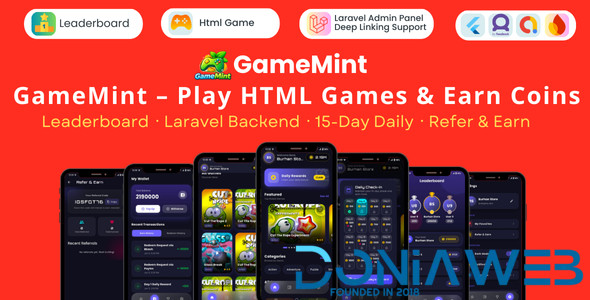
GameMint – Play & Earn HTML Games with Flutter and Laravel Backend
GameMint is a powerful Play-to-Earn HTML Game Platform developed using Flutter (Mobile App) and Laravel (Admin Panel). Admins can upload unlimited HTML5 games, and users can play games to earn coins, rewards, leaderboard rankings, and referral income.
Key Features
Admin Panel (Laravel)
Upload Unlimited HTML5 Games
Game Reward & Win Coin Configuration
User Management System
15 Days Daily Check-in Reward Control
Redeem Request Management
Leaderboard Management
Referral Commission Settings
Wallet Coin Credit / Debit System
App Settings (Privacy Policy, Terms & Conditions)
Secure Authentication
Mobile App Features (Flutter)
Play HTML5 Games Inside App
Game Win Reward Dialog
Automatic Coin Credit System
15 Days Daily Check-in Rewards
Redeem Coins via Multiple Methods
Leaderboard System
Multi-Level Referral Earn System
User Wallet & Coin History
Sound ON / OFF
Share App & Invite Friends
Account Delete & Logout
Monetization Ready
Play & Earn Coin System
Referral Based Earnings
Redeem System Integration
Ads Ready (AdMob / Unity Ads Supported)
️ Technology Stack
Flutter – Android Application
Laravel – Backend & Admin Panel
HTML5 Games Integration
REST API Based Architecture
Ideal For
Play to Earn Apps
HTML Game Reward Platforms
Coin Earning Applications
Referral Based Gaming Apps
What You Get
Flutter App Source Code
Laravel Admin Panel Source Code
Installation Guide
Full Documentation
Future Update Support*
-
 1
1

.thumb.png.6dc5cae5109b2c524304dfaadb3039d0.png)


.thumb.jpg.93a7cd2abe39fcd709f0e1522cd3734b.jpg)
.thumb.jpg.b7481a4e724930fcd9e04b0700b9f87c.jpg)




.thumb.png.92c081e03313934b509ca74a8fb8972e.png)



You may only provide a review once you have downloaded the file.
There are no reviews to display.