





Skip to content
View in the app

A better way to browse. Learn more.

DoniaWeB

A full-screen app on your home screen with push notifications, badges and more.

To install this app on iOS and iPadOS
  1. Tap the Share icon in Safari
  2. Scroll the menu and tap Add to Home Screen.
  3. Tap Add in the top-right corner.
To install this app on Android
  1. Tap the 3-dot menu (⋮) in the top-right corner of the browser.
  2. Tap Add to Home screen or Install app.
  3. Confirm by tapping Install.
     

HelpDesk Pro – AI-Powered Ticket Management & Customer Support System 5.1.2

(1 review)

1 Screenshot

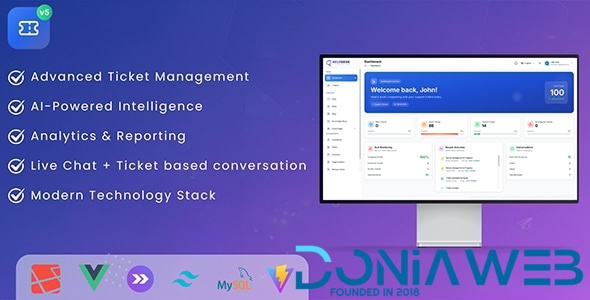
HelpDesk Pro is the ultimate self-hosted customer support solution that combines the power of artificial intelligence with modern web technologies. Built on Laravel 12 and enhanced with OpenAI integration, it delivers intelligent automation, real-time analytics, and seamless multi-channel support.

Experience the future of customer support with AI-powered ticket classification, smart response suggestions, sentiment analysis, and predictive analytics. All while maintaining complete control with a one-time purchase and full source code access.

AI-Powered Features

HelpDesk Pro - AI-Powered Customer Support Dashboard

What's New in Version v3.63 NULLED

Released

--- 3.63 (22 October 2023) --- 
- IMPROVEMENT: user role things on the edit user page for the super admin

User Feedback

You may only provide a review once you have downloaded the file.

   0 of 1 member found this review helpful 0 / 1 member

👍

Other files from Mahmoud

Account

Navigation

Search

Search

Configure browser push notifications

Chrome (Android)
  1. Tap the lock icon next to the address bar.
  2. Tap Permissions → Notifications.
  3. Adjust your preference.
Chrome (Desktop)
  1. Click the padlock icon in the address bar.
  2. Select Site settings.
  3. Find Notifications and adjust your preference.














