






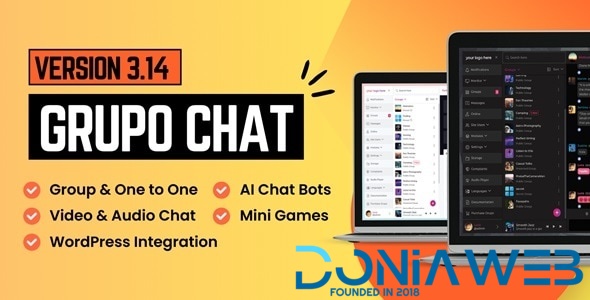
Group Chat is a Chatroom System for Group Chat & One to One Chat with a rich set of chat features designed to boost user engagement on your website. Launch Your Own Chatroom Website in Minutes with Grupo Chat — perfect for group chats or one-on-one conversations.
Build a Powerful Chat Community with Grupo Chat – The Ultimate All-in-One Chat Platform
Grupo Chat is a powerful PHP-based chat system designed to give you full ownership and control of your community. Install it on your own hosting—yes, even shared hosting—and start running a fully functional chat platform instantly.
✅ Real-time messaging with WebSockets for speed and scalability
✅ AJAX fallback to ensure smooth performance on any server setup
✅ Video & audio chat for face-to-face connections
✅ AI bots & smart moderation to enhance engagement and safety
✅ One-time payment — full source code included
✅ Seamless integration with popular platforms such as WordPress, WoWonder, Rise CRM, Perfex CRM, PlayTube, Sngine, and QuickDate.
✅ Your data, your rules — everything is stored securely on your own server
With Grupo Chat, you’re not renting someone else’s platform—you’re building your own. Grupo Chat: Unlock unlimited possibilities with group chat rooms, one-on-one messaging, video chats, paid memberships, and more—designed to supercharge engagement and create a vibrant, safe chat community!
What's New in Version 3.14 Extended License
Released
Polls Feature
Users can create their own group categories
Option for users to restrict third-party group creation within their group category
Option to disable the ‘Agree to Terms’ field during Signup & Guest Login
Broadcast Message: You can now send a private message to all users or users with a specific site role in a single click
Added Whish payment gateway
Option to trigger AI chatbots only when mentioned in group chat
Option to load group categories in the left panel on page load for non-logged-in users
Users can adjust the sound levels of other participants in video/audio chat
Option to validate the AI bot in the admin panel
Added an unpin button in the pinned messages section to easily unpin messages
Option to display each user’s site role color in the online list
Now side navigation is displayed for non-logged-in users as well
Users can now search for other users by phone number in the users list
Links in messages from the AI chatbot are now hyperlinked, with previews generated
Compatibility with PHP 8.5
Fixed Bugs
-
 15
15
-
 4
4
-
 1
1




.thumb.png.bb0bf549f311386c17a735d76c58dc29.png)









Recommended Comments
Join the conversation
You can post now and register later. If you have an account, sign in now to post with your account.
Note: Your post will require moderator approval before it will be visible.