





Skip to content
View in the app

A better way to browse. Learn more.

DoniaWeB

A full-screen app on your home screen with push notifications, badges and more.

To install this app on iOS and iPadOS
  1. Tap the Share icon in Safari
  2. Scroll the menu and tap Add to Home Screen.
  3. Tap Add in the top-right corner.
To install this app on Android
  1. Tap the 3-dot menu (⋮) in the top-right corner of the browser.
  2. Tap Add to Home screen or Install app.
  3. Confirm by tapping Install.
     

BeDrive - File Sharing and Cloud Storage 3.1.9

(2 reviews)

1 Screenshot

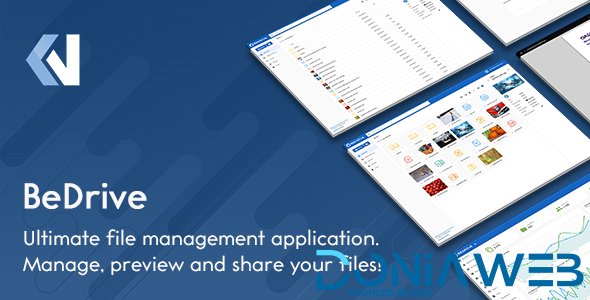
BeDrive allows you to create your own fully-featured, self-hosted file sharing and hosting website in minutes without any coding or server management knowledge.

BeDrive - File Sharing and Cloud Storage - 1

BeDrive - File Sharing and Cloud Storage - 2

What's New in Version 3.1.9

Released

2025 November 15 - Version 3.1.9

  • fix: files uploaded to s3 on previous versions sometimes not showing

  • fix: issue with restoring deleted files from trash

  • fix: homepage type setting missing from general settings page

  • fix: duplicated folder showing double the actual size

  • fix: some values in landing page not being editable

  • fix: "Get link" option not enabling direct link support by default

  • fix: compatibility issues with BeDrive mobile app

User Feedback

Recommended Comments

signaluh

Members

Thank you ! I liked forum. I'll start attending.


  • Administrators
4 minutes ago, signaluh said:

Thank you ! I liked forum. I'll start attending.


Happy in your presence

Jeison Alcala

Members

tengo un error al conectar la base dato

Ace Solutions

Members

This is not 3.1.3 this is only 3.1.2 please update


Jeison Alcala

Members

I'm trying to add ad codes in ads and it won't let me save it

SinugbangBird

Members

Please update to:
2025 November 21 - Version 3.2.0

  • fix: show original error message returned from cloud storage provider when validating credentials

  • fix: copy to own drive will now copy entry instead of sharing

  • fix: files uploaded with previous versions not counting toward user space usage

  • fix: folder sorting not working in shareable link page

  • fix: shareable links not viewable, if not logged in

  • fix: don't return data if link is password protected

  • fix: duplicated folder showing double the actual size

  • fix: issue with checkout page

  • fix: logout other devices in account settings page

  • fix: issues with x-accel-redirect

Join the conversation

You can post now and register later. If you have an account, sign in now to post with your account.
Note: Your post will require moderator approval before it will be visible.

Guest
Unfortunately, your content contains terms that we do not allow. Please edit your content to remove the highlighted words below.
Add a comment...

Other files from Mahmoud

Account

Navigation

Search

Search

Configure browser push notifications

Chrome (Android)
  1. Tap the lock icon next to the address bar.
  2. Tap Permissions → Notifications.
  3. Adjust your preference.
Chrome (Desktop)
  1. Click the padlock icon in the address bar.
  2. Select Site settings.
  3. Find Notifications and adjust your preference.















