









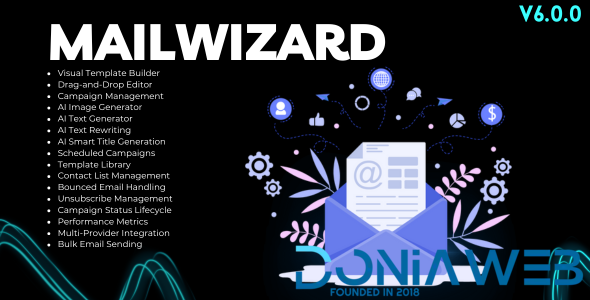
Mailwizard for Bicrypto Features
Visual Template Builder: Create beautiful email templates with an intuitive drag-and-drop editor supporting text, images, buttons, dividers, and custom HTML blocks.
Block-Based Editor: Modular email design with reusable blocks including headers, footers, content sections, and call-to-action elements.
Template Library: Save and reuse templates across campaigns with categories, tags, and preview functionality.
Template Versioning: Track template changes with version history and restore previous versions when needed.
Campaign Management: Full campaign lifecycle from DRAFT through SCHEDULED, SENDING, SENT, PAUSED, and CANCELLED states.
Audience Segmentation: Target specific user groups based on activity, registration date, KYC status, and custom attributes.
Contact List Management: Import, export, and manage subscriber lists with bulk operations and duplicate detection.
Scheduled Campaigns: Schedule campaigns for future delivery with timezone support and optimal send time suggestions.
A/B Testing Support: Test different subject lines, content, and send times to optimize campaign performance.
Real-Time Analytics: Comprehensive dashboard showing opens, clicks, bounces, unsubscribes, and engagement rates.
Open Tracking: Track email opens with pixel tracking and unique open counts per recipient.
Click Tracking: Monitor link clicks with URL tracking and click-through rate analysis.
Bounce Handling: Automatic handling of hard and soft bounces with list cleanup recommendations.
Unsubscribe Management: One-click unsubscribe with preference center and list-specific opt-outs.
Campaign Duplication: Clone existing campaigns for quick setup of similar email sends.
Preview & Testing: Preview emails in desktop and mobile views with test email functionality.
Variable Substitution: Dynamic content with user variables like name, email, and custom fields.
Performance Metrics: Track delivery rate, open rate, click rate, bounce rate, and unsubscribe rate per campaign.
Campaign Comparison: Compare performance across multiple campaigns with side-by-side analytics.
Bulk Email Sending: High-volume email delivery with rate limiting and queue management.
Multi-Provider Integration: Support for multiple email service providers with fallback configuration.
Admin Campaign Dashboard: Overview of all campaigns with filtering by status, date range, and performance metrics.
Admin Template Management: Full CRUD operations for templates with bulk actions and status control.
Campaign Activity Log: Complete audit trail of campaign actions including sends, pauses, and modifications.
Email Delivery Reports: Detailed reports on delivery status with exportable data for analysis.
Multi-Language Support: Full internationalization for email content and admin interface.
Mailwizard for Bicrypto Demo Access
Link: Admin Templates
Link: Create Template
Link: Admin Campaigns
Link: Create Campaign
Mailwizard for Bicrypto Documentation
Link: Installation Guide
Link: Template Management
Link: Campaign Management
Link: Settings Configuration
Mailwizard for Bicrypto Requirements
Link: Bicrypto (core)
What's New in Version 6.0.0
Released
Last Update | 15 December 2025 |

.thumb.png.6dc5cae5109b2c524304dfaadb3039d0.png)


.thumb.jpg.93a7cd2abe39fcd709f0e1522cd3734b.jpg)
.thumb.jpg.b7481a4e724930fcd9e04b0700b9f87c.jpg)




.thumb.png.92c081e03313934b509ca74a8fb8972e.png)



You may only provide a review once you have downloaded the file.
There are no reviews to display.