Everything posted by Mahmoud
-
Loveria v2.5.5 - The Laravel PHP Dating Script
- Streamz- A music streaming website with admin panel
- Fully SaaS Live Support Chat v3.1.1 - Cloud Chat 3 v
- FireApp Chat IOS - Chatting App for IOS - Inspired by WhatsApp
- Modesy v1.6 - Marketplace & Classified Ads Script
- Fully SaaS Live Support Chat v3.1.1 - Cloud Chat 3 v
- Belloo - Complete Premium Dating Software v4.4.4.2
- Pretty v3.0.1 -Theme for WoWonder Social PHP Script
- Joysale v3.2 + Android And Ios App v3.2-1
- GigToDo v1.5.4 + Gateway Plugin - Freelance Service Marketplace v1.5.4
- PUBG Tournament App with Prize Pool Concept & Admin Panel v10 March 20
- NinjaGram v7.5.9.5 Cracked - Instagram bоt
- Grocery, Milk, DailyNeeds, Store Delivery Mobile App with Admin Panel | Multi-Store with 3 Apps v1.6.1
- DeepSound Android v1.5 - Mobile Sound & Music Sharing Platform Mobile Android Application
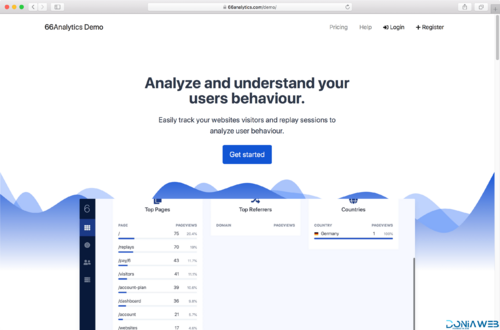
- 66Analytics - Website Traffic Analytics Platform [Extended License]
- Food Delivery Flutter + PHP Laravel Admin Panel v2.5.0
- TASKLY – Project Management Tool
- JWPlayer Google Drive Proxy Player Script 1.8.3 New Update | Anti Limit + Ads Support
- Yetishare v5.2.0 + All Plugins (Latest version) v5.2.0
- phpAnalyzer v3.1.4 - Social Media Analytics Statistics Tool ( Instagram, Twitter, YouTube, Facebook )
- 66Analytics - Website Traffic Analytics Platform [Extended License] v49.0.0
Back to topAccount
Navigation
Search
Configure browser push notifications
Chrome (Android)
- Tap the lock icon next to the address bar.
- Tap Permissions → Notifications.
- Adjust your preference.
Chrome (Desktop)
- Click the padlock icon in the address bar.
- Select Site settings.
- Find Notifications and adjust your preference.
Safari (iOS 16.4+)
- Ensure the site is installed via Add to Home Screen.
- Open Settings App → Notifications.
- Find your app name and adjust your preference.
Safari (macOS)
- Go to Safari → Preferences.
- Click the Websites tab.
- Select Notifications in the sidebar.
- Find this website and adjust your preference.
Edge (Android)
- Tap the lock icon next to the address bar.
- Tap Permissions.
- Find Notifications and adjust your preference.
Edge (Desktop)
- Click the padlock icon in the address bar.
- Click Permissions for this site.
- Find Notifications and adjust your preference.
Firefox (Android)
- Go to Settings → Site permissions.
- Tap Notifications.
- Find this site in the list and adjust your preference.
Firefox (Desktop)
- Open Firefox Settings.
- Search for Notifications.
- Find this site in the list and adjust your preference.

- Streamz- A music streaming website with admin panel