Everything posted by Mahmoud
-
PUBG Tournament App with Prize Pool Concept & Admin Panel v10 March 20
- XeroSEO v6.1.5 - The Most Complete Visitor Analytics & SEO Tools v
- Binder v20.3 - Dating clone App with admin panel - Android
- Academy LMS Live Streaming Class Addon v1.1
- XeroSEO v6.1.5 - The Most Complete Visitor Analytics & SEO Tools v
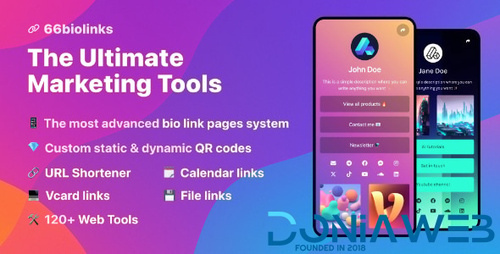
- 66biolinks - Bio Links, URL Shortener, QR Codes & Web Tools (SAAS) [Extended License] v61.0.1
- 66biolinks - Bio Links, URL Shortener, QR Codes & Web Tools (SAAS) [Extended License]
- AtoZ SEO Tools v3.6 - Search Engine Optimization Tools + addon
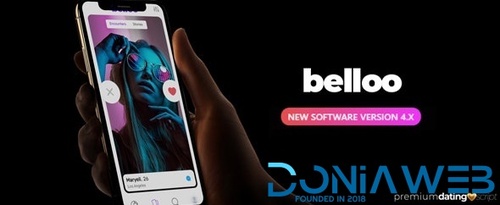
- Belloo - Complete Premium Dating Software
- 72 comments
- 3 reviews
- Belloo - Complete Premium Dating Software
- 72 comments
- 3 reviews
- PHP Trusted Reviews v1.0.7
- Zixer v1.0.2 - Multipurpose Website & Construction Business Company CMS
- Nishue v4.1 - CryptoCurrency Buy Sell Exchange and Lending with MLM System | Live Crypto Compare
- Meetly v1.13 - Free Video Conferencing & Meeting App
- Belloo - Complete Premium Dating Software
- 72 comments
- 3 reviews
- HRM SAAS v4.1.1 - Human Resource Management
Back to topAccount
Navigation
Search
Configure browser push notifications
Chrome (Android)
- Tap the lock icon next to the address bar.
- Tap Permissions → Notifications.
- Adjust your preference.
Chrome (Desktop)
- Click the padlock icon in the address bar.
- Select Site settings.
- Find Notifications and adjust your preference.
Safari (iOS 16.4+)
- Ensure the site is installed via Add to Home Screen.
- Open Settings App → Notifications.
- Find your app name and adjust your preference.
Safari (macOS)
- Go to Safari → Preferences.
- Click the Websites tab.
- Select Notifications in the sidebar.
- Find this website and adjust your preference.
Edge (Android)
- Tap the lock icon next to the address bar.
- Tap Permissions.
- Find Notifications and adjust your preference.
Edge (Desktop)
- Click the padlock icon in the address bar.
- Click Permissions for this site.
- Find Notifications and adjust your preference.
Firefox (Android)
- Go to Settings → Site permissions.
- Tap Notifications.
- Find this site in the list and adjust your preference.
Firefox (Desktop)
- Open Firefox Settings.
- Search for Notifications.
- Find this site in the list and adjust your preference.

- XeroSEO v6.1.5 - The Most Complete Visitor Analytics & SEO Tools v