Flash Sale
-

-

-
-
-
-

-
.thumb.jpg.7d38d8e1ec02cc56d720f49ef7b1abb4.jpg)
-

-
 105.00 EUR 150.00 EUR -30%
 -
 199.50 EUR 399.00 EUR -50%
 -
-
 11.60 EUR 29.00 EUR -60%
 -
 299.90 EUR 2,999.00 EUR -90%
 -
-
-
 29.50 EUR 59.00 EUR -50%
 -
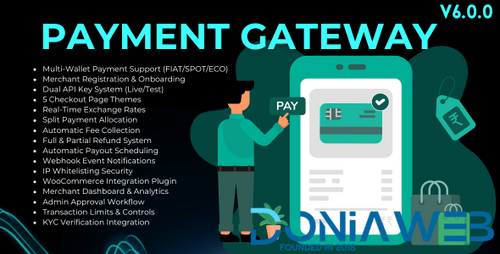 25.35 EUR 39.00 EUR -35%
Payment Gateway Addon - Multi-Wallet Payments, Merchant Onboarding & WooCommerce Plugin for Bicrypto
-
-Copy.thumb.png.03c75232c42636d5122676c6c46891ef.png) 29.50 EUR 59.00 EUR -50%
29.50 EUR 59.00 EUR -50% -
 111.00 EUR 222.00 EUR -50%
 -
-

Plugins
1,193 files
-
Udemy or Treehouse prove it, achieving a huge amount of sales volume with this business model. Their income is intended to grow considering the number of people looking for their products.
In a completely automatic way, you could offer your users a restricted and exclusive access to tailored information, like a course, a study plan, a sequence of e-books, or even premium services, etc.
Imagine having a class of students that attend to your lessons, and that each lesson is displayed exactly when you have planned, with no errors, respecting completely your lesson plan. Imagine publishing resources and products to your customers, managing independently payments and content release: YITH WooCommerce Membership will let you do all this and even more.
Manage courses, services, valuable membership plans with private access, send messages to your customers, schedule the publication of the exclusive contents for your customer: these actions are easily achievable with YITH WooCommerce Membership, a plugin conceived and designed to tear down any difficulty for the management of reserved products for those who purchase them.
Membership is nice and ready: you just have to create the products in your shop, and the software will do the rest, leaving you free to manage your time as you want. The plugin works with pages, posts, WooCommerce files and products, videos, etc. The restricted area is easy to use, and will let you protect your work, and make it accessible only to those who paid for it.
- Free
- 2 Downloads
-
Have you ever had that unpleasant feeling of having to make a present to someone, but not knowing what to buy? 99% of the times, this type of uncertainty does not help users completing their purchase.
The same happens in your shop. A customer comes to purchase a present, browses the catalogue in search for an idea, but he cannot be sure about what the recipient would like most and has many doubts: how does refund policy work in case the product should not be good? And if the size were not the right one? And if it did not arrive in time?
A study by the Nielsen Norman Group on a sample of people who usually purchases on the internet has proved that when they receive a present, they appreciate it more if it is in the form of a gift card.
A gift card makes their lives easier for both the person who makes the gift and the person who receives it. This is the reason why gift cards have become more and more popular, to such an extent that 98% of shops – and not only virtual shops – use them to increment sales volume and to loyalise customers.
Thanks to YITH WooCommerce Gift Cards you will be able to create gift cards of any amount and give your users the possibility to purchase what they really want freely.
- Free
- 0 Downloads
-
Major universities pick LearnDash for delivering and tracking online coursework.
Professional Training
From selling courses online to continuing education - LearnDash handles it all!
WordPress Projects
Developers & designers continually choose LearnDash for their clients.
Easily create & sell courses, deliver quizzes, award certificates, manage users, download reports, and so much more! By using LearnDash you have access to the latest e-learning industry trends for creating robust learning experiences.
Sell Your Courses
Simply set the price, choose the pricing model, and publish.
Drip-Feed Content
Automatically deliver content according to a predefined schedule.
Reward Your Learners
Deliver certificates, points, and badges to encourage learners.
Engagement Triggers
Interact with learners based on actions they do in your courses.
- Free
- 1 Downloads
-
BuddyBoss Theme is designed to make the BuddyBoss Platform plugin look beautiful.
- Free
- 0 Downloads
-
conclusion of the order, there may be that annoying and useless “empty time”: by taking advantage of the potentialities of this plugin, purchasing in your shop will be even easier and faster.
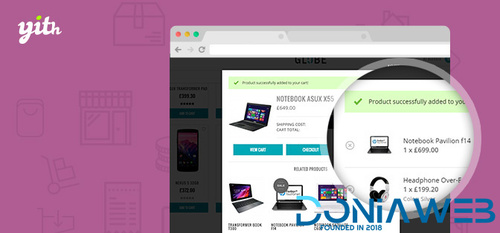
YITH WooCommerce Added to Cart Popup allows you to show a pop-up window each time a new product is added to cart, displaying its content to the customer. This will grant them a clear overview of the products they are purchasing, encouraging surfing and purchasing more products
We also know that one of the most coveted goals for vendors is to increase the average value per customer and well, this plugins allows you to do so! YITH WooCommerce Added to Cart Popup allows you to display related products within a pop-up window, bringing customers to buy them and encouraging Cross Selling.
YITH WooCommerce Added to Cart Popup improves the user experience of your e-commerce website thanks to a modal window that informs your customers each time a product is added to the cart.
An easy-to-use plugin, but with a deep versatility and many options to use at your own advantage to have a website that’s easier to use and encourages users to purchase.
When we developed this plugin we tried to create a system that would be simple and that wouldn’t compromise the purchase process in any way, that’s why we’ve chose to create a non-invasive pop-up which would make the purchase process dynamic and would reassure those customers who would tend not to complete the purchase or to purchase less items than they’d want.
Once that was taken care of, we wanted to enrich this plugin in order to provide you with an effective tool that would adapt to several different scenarios, giving our pop-up window 8 different animations when it shows up, the canche to display a selection of products in the pop-up window itself and the chance to completely customize the color and size of the window.
YITH WooCommerce Added to Cart Popup represents that small step you needed to start boosting your sales right now!
- Free
- 2 Downloads
-
A WordPress Website Builder Plugin that's Fast and Easy
SeedProd is the Best Drag & Drop WordPress Website Builder Plugin. Here are the features that make SeedProd the most powerful and user-friendly page builder plugin in the market.
- Free
- 25 Downloads
-
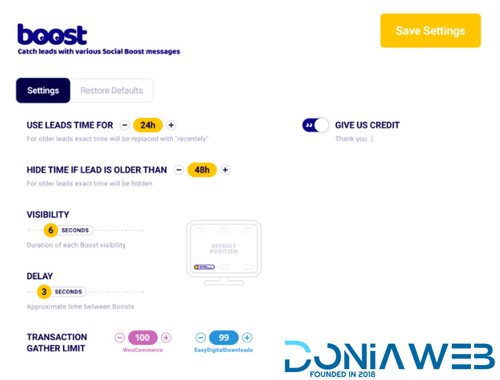
Automatically capture and show recent visitors’ activity as nice, auto-vanishing pop-ups. We call them BOOSTS.
WordPress plugin with dedicated WooCommerce integration.
It’s a WordPress plugin, so you’ll have total control
No LEGAL problems
You’ll avoid all the legal risks of sharing your data with third-party services.
Super-accurate
It integrates directly into your website, so it doesn’t have to guess your users’ actions.
It’s all yours
You have access to all the boosts’ data, and you can edit or delete them as you wish.
It will work right away
It can use pre-existing clients’ info to create boosts, so you don’t have to wait.
- Free
- 1 Downloads
-
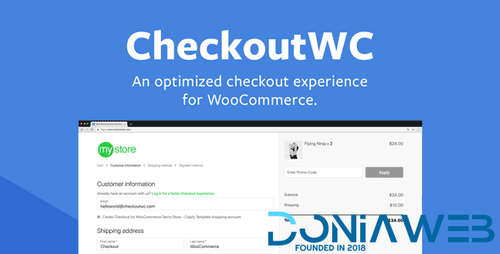
Checkout for WooCommerce replaces your checkout page with a beautiful, responsive, and conversion optimized design. Works with every theme.
How Checkout for WooCommerce will increase your sales.
If you are using the default WooCommerce checkout page, you could be losing 30% of your customers. Checkout for WooCommerce makes it incredibly easy to optimize your checkout page.
A one-click solution, beautifully designed
Checkout for WooCommerce is a no hassle solution for a seamless checkout experience. No configuration or coding knowledge required.
Optimized for conversions
Checkout for WooCommerce boosts conversions by streamlining the complex checkout and payment processing process.
Perfectly adaptable
Checkout for WooCommerce is fully responsive and works with all WordPress themes out of the box.
- Free
- 0 Downloads
-
Limo service, taxi operator, car hire. No matter which of these businesses you choose, Chauffeur Taxi Booking System is the first choice when it comes to a booking solution. The most popular and #1 selling WordPress Plugin for companies of all sizes provides a simple reservation process with online payments, notifications, WooCommerce and Google services integration.
- Free
- 40 Downloads
- 2 Comments
-
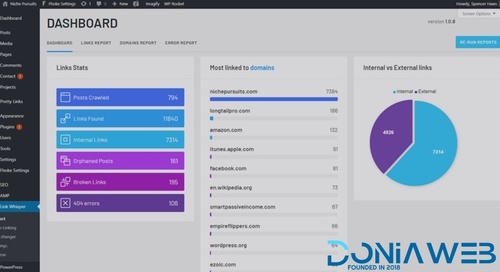
Links Whisper is smart. Powered by artificial intelligence, Link Whisper starts suggesting relevant internal links when you start writing your article right within the WordPress editor.
Depending on how many articles you have on your site and the relevance of your existing content, Link Whisper will suggest dozens or more internal links from the content you are editing.
Just check the box and hit save. Internal links are done.
- Free
- 2 Downloads
-
School Management System Plugin for wordpress is ideal way to manage complete school operation. The system has different access rights for Admin, Teacher, Student and Parent.
School Management System for WordPress features
Rich Dashboard with analytics
Admin Module
Student Module
Teacher Module
Parent Module
Subject Module
Class Module
Grade Module
Manage Marks
Attendance Module
Message Module
Notice-Event Module
Transportation Module
Hall List
Holiday Module
Migration Module
Payment Module
Reports
Student Class Routine
Teacher Routine
Print marksheet in PDF
Migrate student in single click
Once click Install
Powerful features with unique design
- Free
- 11 Downloads
-
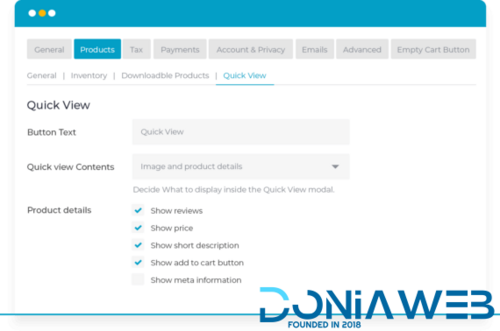
WooCommerce Quick View Pro is the easy way to speed up shopping – perfect for restaurants, photography, fashion, wholesale and more.
ORDER FASTER
Let your customers quickly preview items and add to cart through a lightbox
Supports all product types including variable products, and external/affiliate
Increases your conversion rate: visitors can quickly return to product listings and continue shopping
CUSTOMIZE THE QUICK VIEW
Full control over your Quick View lightbox – the most customizable plugin!
Choose from full or partial product info, and show or hide images and galleries (including full product gallery)
Customize your quick view button text to maximise conversions
MORE INTEGRATIONS THAN ANY OTHER PLUGIN
The only Quick View plugin to integrate with WooCommerce Product Add-Ons
Fully compatible with WooCommerce Product Table
Multilingual compatibility with WPML, Weglot & TranslatePress
- Free
- 0 Downloads
-
Protect your WordPress Posts, Pages, Tags, Categories, URIs, BuddyPress/bbPress, and even portions of content within Posts, Pages, themes, plugins. Easily configurable & highly extensible. You can even protect downloadable files and streaming audio/video. Store files locally, or use s2Member's integration with Amazon®.
- Free
- 1 Downloads
-
multiple schools and their entities such as classes, sections, students, exams, ID cards, admit cards, teachers, staff, fees, invoices, income, expense, noticeboard, study materials and much more. Payment gateway : Paypal, Stripe, Pesapal , Paystack , Razorpay , PayTM
Multi-School Management :- Add multiple schools, assign admins and classes to each school to manage individual school.
Session Management :- Create new session and keep all the records of previous sessions.
Manage Classes and Sections :- Administrators can create classes and assign them to schools. With each class, there can be multiple class sections.
Student Management :- School admins and staff with necessary permissions can new admissions to school by assigning them admission number, class, section and roll number. Also, for each student record in a session, a new enrollment number is generated automatically.
Inquiries Management :- Display inquiry form for a school in a page using shortcode. Also, receive inquiries school-wise, add next follow up date and notes for the inquiry.
Student Promotion :- Promote students to a new class for a new session. This creates a new enrollment of a student for the next session.
Student Transfer :- Transfer student from one school to another. This also keep track of students transferred to and transferred from the school.
Student Attendance :- Take the daily attendance of students. Print the attendance sheet of a class. Also, students can view their attendance report in dashboard.
Student Dashboard :- Students view their fees report, admission details, ID card etc. and pay remaining fees using suitable payment method.
Roles and Permissions :- Create custom roles like teacher, accountant and assign them necessary permissions as per the role so they are restricted to the management of school entities assigned to them.
Assign School Admins and Staff :- Multi-School admins assign an administrator to a school. The school administrator can create any number of staff with roles to manage the school.
Noticeboard Widget :- It has a noticeboard widget that displays notices to the widget section of your website. Here, you can change the number of notices, widget height, and width to incorporate the design of your website.
- Free
- 6 Downloads
-
This plugin adds several premium elements in your WPBakery Page Builder on top of the built-in ones given by WPBakery. Every single element in the package is crafted with utmost attention to details and a simple objective to provide you an ultimate experience. We’ve put a lot of time and care to ensure that all the elements are flexible so that they will open limitless possibilities for you, while
- Free
- 30 Downloads
-
With over 700,000 installs, Polylang is the most popular multilingual plugin available on the WordPress directory.
You write your posts, pages and create categories and post tags as usual, and assign a language to each of them. The translation, whether it is in the default language or not, is optional.
- Free
- 48 Downloads
-
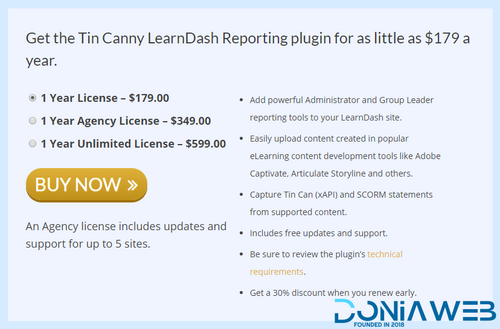
A lot of activity happens on LearnDash sites. Users are always completing courses, lessons, quizzes, assignments, and so much more. Reporting in LearnDash is basic, and only tracks native LearnDash activities. If you use H5P, Articulate Storyline, Adobe Captivate or iSpring modules you either don’t track the data at all, or it’s on another site in an external Learning Record Store (LRS) and your reporting is completely segregated.
If you can’t track your learning effectively, you don’t know what students are doing or whether they’re even learning on your site. What if there was a better way to track all of your training data from one location inside your WordPress site, even for things that LearnDash can’t normally track?
Reporting on learning activity just got easier.
The Tin Canny LearnDash Reporting plugin adds drill-down reporting capabilities, a simple uploader for Articulate Storyline, Rise, iSpring and Captivate modules and a basic Learning Record Store (LRS) to your LearnDash site. It allows site admins and Group Leaders to drill down from trends in learning activities across the entire site and each specific user.
Tin Canny is the only plugin that supports SCORM modules and integrates LearnDash, Tin Can/xAPI and SCORM records inside WordPress. If you create Tin Can/xAPI, SCORM 1.2 or SCORM 2004 compliant course modules with one of these supported authoring tools, Tin Canny is a must for your LearnDash site:
Articulate Rise.
Articulate Storyline 2, 3 and 360.
iSpring 8.
Adobe Captivate 9 and 2017.
H5P.
Everything is automatic
Once installed, Tin Canny adds an easy module uploader to the WordPress Editor, and when you upload your modules, the plugin starts capturing your SCORM and Tin Can data. Also, if you use H5P to create content in WordPress, everything is captured automatically—no extra plugins or configuration is required. That’s the power of doing everything right inside your LearnDash site.
You can even control progress in your LearnDash courses from your uploaded modules. Maybe learners shouldn’t be allowed into the next lesson until they pass a quiz in Storyline? No problem. You can control the behaviour of the LearnDash Mark Complete button using Tin Can and SCORM statements.
Not using SCORM or Tin Can? Use the powerful LearnDash reports
Tin Canny adds comprehensive LearnDash reporting features to your LearnDash site. As soon as you sign in as an administrator, you’ll see a new dashboard widget that shows learning activity trends. From there, check out the Course report to see where learners are across all of your courses. (With our handy Pro Toolkit installed, you can even see how long it’s taking users to complete courses.) From there, drill down into a course to see how your learners are doing, and keep drilling down if you want to see more lesson and quiz level data.
The reports are for LearnDash Group Leaders too! Group Leaders have access to the same reports for users in the groups they support. Even better, Tin Canny allows the Course and User reports to be shown in the front of your WordPress site, making it even easier to keep your Group Leaders in a familiar environment!
Here are some of the ways the Tin Canny plugin can make your LearnDash site better:
Consolidate LearnDash, SCORM, Tin Can/xAPI and H5P data into a single reporting platform to get the clearest picture of learner activities.
Add Storyline, SCORM, Rise, Captivate and iSpring modules to your courses really easily. Include them in your LearnDash courses as embedded modules, in a lightbox or new window—whatever works best for you.
Track SCORM and Tin Can/xAPI records from right inside WordPress.
The Tin Canny LearnDash Reporting plugin adds these features to your LearnDash site:
Tin Can and SCORM 1.2 and 2004 Statement Tracking: Track data for modules authored in Storyline 2, Storyline 3, and Storyline 360, Articulate Rise, Adobe Captivate 9, Adobe Captivate 2017, iSpring 8, and H5P right inside WordPress.
- Free
- 10 Downloads
-
We then run a check on your content to check whether you’re using the keywords often enough – but not too often – and in the right spots.
Yep, Yoast Premium makes it really easy to seduce search engines. In the free version, you can only set 1 focus keyword. That means you’ll have to choose between keywords.
In both versions, Yoast SEO doesn’t only boost your ranking in the search results, but also your morale!
Internal linking suggestions – Premium only
Internal linking is extremely important because it helps search engines to understand your site structure.
But adding links by hand is slow, tedious and downright annoying. With the internal linking feature in Yoast SEO Premium, that’s a thing of the past.
This feature analyzes your text and suggests links to related posts – as you write. Taking all the hassle out of internal linking. Yeah, we’re pretty happy about it too.
Preview of your page in Google
Thanks to the snippet editor, you can see through the eyes of the Google user: what will your post or page look like in the search results? And on mobile screens? Would you click a link like that?
In the free version, you can only preview your link in Google, not in Facebook or Twitter.
Preview of your page in social media – Premium only
Check what your page will look like if you share it on Facebook or Twitter. Do the title fit and the image match? Will it stand out? If you want people to click, your social media shares have to look the part.
If you don’t want to think about that for every single post, just set a template. Yoast SEO allows you to set those for all types of pages.
- Free
- 2 Downloads
-
Packed with tons of time-saving features… Gravity Forms is the only WordPress form tool you will ever need.
Build and publish your WordPress forms in just minutes. No drudgery, just quick and easy form-building. Select your fields, configure your options and easily embed forms on your WordPress-powered site using the built-in tools.
Integrations: The Gravity Forms Add-Ons
It's Easy to Integrate Gravity Forms with Several Popular Web Applications and Online Services
Gravity Forms allows you to quickly and easily integrate with a variety of third party services such as PayPal and provides for even deeper integration with WordPress through our collection of optional Add-Ons. Hot stuff!
Gravity Forms is hands down the best contact form plugin for WordPress-powered websites. Oh yeah, we said it! Don't just take our word for it, listen to what Gravity Forms users are saying.
- Free
- 6 Downloads
-
This add-on helps you schedule to publish a chapter. So you can upload multiple chapters at once and set published date to another day. The use is simple, when you upload a chapter, or multiple upload chapters, you set the desire published date
- Free
- 23 Downloads
-
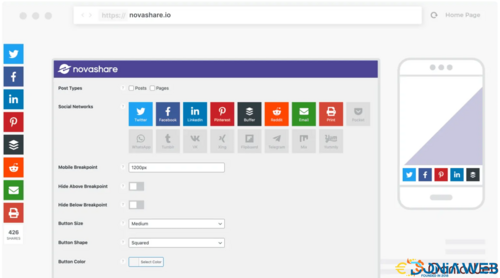
WordPress social sharing at the speed of light.
A lightweight social sharing plugin developed from the ground up with a performance-focused approach for Google Core Web Vitals. Increase your social shares without hindering the user experience.
- Free
- 5 Downloads
-
Cookie Notice
Get consent, before you start tracking and collecting data! Block scripts and third-party in your own style…
Legal Pages
Automatically generate a page with cookie information, a Privacy Page, a Do Not sell My Personal Information Page, and more.
Integrations
Integrates with Tag Manager, Analytics. Placeholders for iFrames, videos and a wide range of plugin compatibility.
Records of Consent
An extended version of the freely available . Read more about Records of consent.
Marketing
Improve your website with automatic A/B testing, anonymous data collection and affiliate/adwords integrations. Integrates with V2.0.
Multiple Regions
Cookie consent management with specific cookie notices, allocated legal documents for the European Union, United States of America, Canada, Australia and the United Kingdom.
Cookiedatabase
A whole new way of automatically updating cookie descriptions. A community driven open-source project.
Dedicated Support
Get dedicated and truly premium support from privacy professionals and developers who don’t quit until a solution is reached.
- Free
- 0 Downloads
-
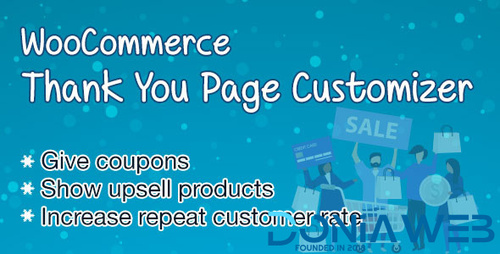
WooCommerce Thank You Page Customizer allows you to customize your “Thank You” page what give coupons to customers and show upsell products after a successful order.
WooCommerce Thank You Page Customizer will give a coupon after a successful order. You can choose to give an existing coupon or let the plugin generate unique coupons.
Coupon rules: Each coupon will have its own rules. Configure these rules to give different coupons for different orders.
Minimum order total: The coupon will be given if the order total is bigger than this amount.
Maximum order total: The coupon will be given if the order total is smaller than this amount.
Include products: The coupon will be given if the order includes these products.
Exclude products: The coupon will not be given if the order includes these products.
Include categories: The coupon will be given if the order includes products in selected categories.
Exclude categories: The coupon will not be given if the order includes products in selected categories.
Existing Coupon: Choose an existing WooCommerce Coupon to give to customers after they successful order an order.
Select WooCommerce coupon: Create a coupon in WooCommerce/ Coupon and use in Thank You Page Customizer.
Email restriction: Make the coupon be usable on with the billing email address.
Unique Coupon: The plugin will generate unique coupons for each order and display it on the Thank You page. You can set up the generated coupon with options same with WooCommerce coupons.
Email restriction: Make the coupon be usable with the billing email only.
Discount type: Select the coupon discount type percentage discount, fixed cart discount and fixed product discount.
Coupon code prefix: Type in the coupon code prefix.
Coupon amount: The amount of the coupon you will give.
Allow free shipping: Select if this coupon grants free shipping.
Expires after: Select the usable time of the coupon.
Individual use only: Choose if the coupon can be used in conjunction with other coupons.
Exclude sale items: Choose if the coupon can be used on sale items.
Usage limit per coupon: How many times a coupon can be used by all customers before being invalid.
Limit usage to X items: How many items the coupon can be applied to before being invalid.
Usage limit per user: How many times a coupon can be used by each customer before being invalid for that customer.
Design
The plugin allows you to drag and drop elements to build your own Thank You page.
Preview: You can select an order to preview your design on front-end.
Drag & Drop: drag and drop element to build the Thank you page as you want. Elements include the Thank you message, Order Confirmation, Order details, Customer information, Social icons, Coupon codes, Google map, text…
Custom CSS: The plugin provides a Custom CSS option allow you to add your own CSS code to change the front-end style of the plugin.
Element Design: Each element has its own design page which allows you to change that element front-end style.
- Free
- 1 Downloads
-
This plugin helps you add custom fields for Manga. By default, there are fixed number of properties for Manga. With this plugin, you can add more properties of many types, so it suits your purpose.
There are 3 types of properties:
Text – of which the value is a string
Select – you define number of predefined options for this properties
Taxonomy Select – assign a Manga to a single term
Taxonomy Checkbox – assign a Manga to several terms
You can order these properties using drag and drop feature.
- Free
- 11 Downloads
-
Reduce your website design time by importing pixel perfect ready to use website demos from our library of starter sites.
Customize Without Code
Change the design through a range of options in the WordPress Customizer. No coding knowledge necessary!
Made for Page Builders
Astra gives you the ability to turn off the page title & sidebar. Create full-width pages with complete design freedom.
Super Fast Performance
Astra is made for speed. It is the most lightweight theme available in the market and offers unmatched performance.
Seamless WooCommerce Integration
Are you looking for the perfect theme to build an online store? Astra is the fastest, flexible and free WordPress theme that is intuitive and offers deeper integration with WooCommerce. With unique features and countless customizations you can build a store that matches your brand.
Customize Everything Easily
Astra provides it's well categorized options in the native WordPress customizer. It allows making changes visually with real time preview. No more back and forth!
Layout Settings
In this area, one can manage layout of the website container, header, blog, archives, single pages, posts, sidebar & footer.
Header Options
Astra comes with several header layouts built-in. The Pro addon extends the possibilities and adds more features further.
Colors & Typography
Set colors & fonts easily! We understand it's important to be able to set fonts & colors that integrate with your brand.
Blog & Archives
Control design of your blog posts & archive pages with neat options in the customizer. Manage width, content and even meta.
- Free
- 8 Downloads















Latest Updated Files
-
- 13,149 Downloads
- 34 Comments
-
All Marketplace - 61 Paid Premium Extensions + 11 Premium Themes + MagicAi Extended | MagicAi
111.00 EUR
- 105 Purchases
- 1065 Comments
-
- 25 Purchases
- 19 Comments
-
- 25 Downloads
- 0 Comments
-
- 14 Downloads
- 0 Comments
-
- 4 Downloads
- 0 Comments
-
Shortzz : Short Video App Flutter Script With Admin Panel | Android | iOS | Tiktok Clone | Full App
11.60 EUR
- 6 Purchases
- 5 Comments
-
- 40 Downloads
- 0 Comments
-
- 975 Downloads
- 10 Comments
-
- 308 Downloads
- 2 Comments
-
- 0 Purchases
- 0 Comments
-
- 10 Downloads
- 0 Comments
-
- 15 Downloads
- 0 Comments
-
- 1 Purchases
- 2 Comments
-
- 16 Purchases
- 4 Comments
-
- 85 Downloads
- 1 Comments
-
- 2,554 Downloads
- 42 Comments
-
- 57 Downloads
- 0 Comments
-
- 27 Downloads
- 0 Comments
-
- 6 Downloads
- 0 Comments







.thumb.png.6dc5cae5109b2c524304dfaadb3039d0.png)















Latest paid files
-
All Marketplace - 61 Paid Premium Extensions + 11 Premium Themes + MagicAi Extended | MagicAi
111.00 EUR
- 105 Purchases
- 1065 Comments
-
- 25 Purchases
- 19 Comments
-
Shortzz : Short Video App Flutter Script With Admin Panel | Android | iOS | Tiktok Clone | Full App
11.60 EUR
- 6 Purchases
- 5 Comments
-
- 0 Purchases
- 0 Comments
-
- 1 Purchases
- 2 Comments
-
- 16 Purchases
- 4 Comments
-
- 12 Purchases
- 4 Comments
-
- 0 Purchases
- 0 Comments
-
- 22 Purchases
- 29 Comments
-
- 0 Purchases
- 4 Comments
-
- 4 Purchases
- 29 Comments
-
- 0 Purchases
- 0 Comments
-
- 1 Purchases
- 11 Comments
-
- 1 Purchases
- 1 Comments
-
- 0 Purchases
- 1 Comments
-
- 0 Purchases
- 0 Comments
-
- 92 Purchases
- 115 Comments
-
- 4 Purchases
- 14 Comments
-
- 12 Purchases
- 37 Comments
-
- 57 Purchases
- 49 Comments
-
- 2 Purchases
- 9 Comments
-
- 56 Purchases
- 80 Comments
-
- 24 Purchases
- 11 Comments
-
- 4 Purchases
- 12 Comments
-
- 35 Purchases
- 24 Comments
-
- 26 Purchases
- 21 Comments
-
- 10 Purchases
- 5 Comments
-
- 5 Purchases
- 26 Comments
-
- 2 Purchases
- 15 Comments
-
- 0 Purchases
- 0 Comments
-
- 16 Purchases
- 19 Comments
-
Copy Trading for Bicrypto - Social Trading, Signal Providers & Automated Portfolio Mirroring Addon
59.00 EUR
- 0 Purchases
- 0 Comments
-
Futures Trading for Bicrypto - Perpetual Contracts, Leverage Trading & Liquidation Engine Addon
70.00 EUR
- 14 Purchases
- 3 Comments
-
- 0 Purchases
- 0 Comments
-
- 3 Purchases
- 0 Comments
-
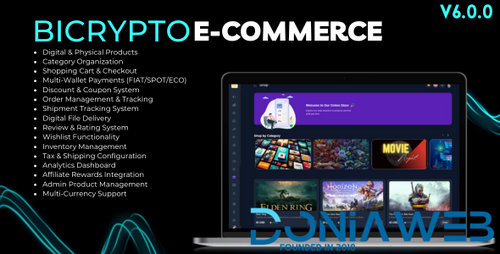
E-commerce for Bicrypto - Digital & Physical Products, Orders & Multi-Wallet Payments Addon
25.00 EUR
- 5 Purchases
- 0 Comments
-
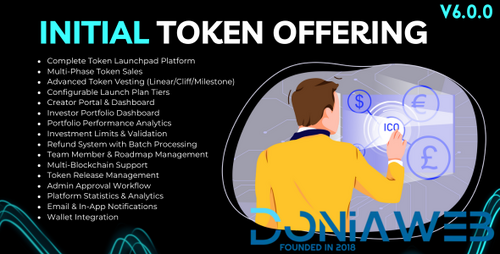
ICO/STO/IDO for Bicrypto - Token Launchpad, Multi-Phase Sales, Vesting & Investor Portfolio Addon
35.00 EUR
- 4 Purchases
- 2 Comments
-
Forex Investment for Bicrypto - Managed Accounts, Investment Plans & Signal Copy Trading Addon
35.00 EUR
- 5 Purchases
- 0 Comments
-
MLM & Affiliate System for Bicrypto - Multi-Level Marketing, Referral Rewards & Network Commissions
30.00 EUR
- 5 Purchases
- 0 Comments
-
Wallet Connect for Bicrypto - Web3 Authentication, Multi-Wallet Support & Blockchain Integration Add
30.00 EUR
- 4 Purchases
- 0 Comments
-
- 1 Purchases
- 0 Comments
-
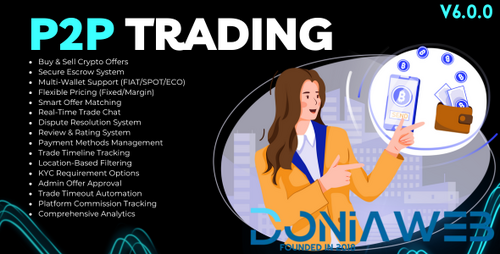
P2P Trading for Bicrypto - Peer-to-Peer Marketplace, Escrow System & Dispute Resolution Addon
35.00 EUR
- 0 Purchases
- 0 Comments
-
- 0 Purchases
- 0 Comments
-
- 2 Purchases
- 5 Comments
-
AI Market Maker - Automated Trading Bots, Liquidity Management & Price Stabilization for Ecosystem
29.50 EUR
- 0 Purchases
- 0 Comments
-
Payment Gateway Addon - Multi-Wallet Payments, Merchant Onboarding & WooCommerce Plugin for Bicrypto
25.35 EUR
- 0 Purchases
- 0 Comments
-
- 106 Purchases
- 60 Comments
-
- 11 Purchases
- 13 Comments
-
- 10 Purchases
- 26 Comments























.thumb.png.ee00749a11f99f99200e8de79caaa42b.png)
.thumb.png.f1780f50c8f4f360c988b919b8aec911.png)








Most Downloaded
-
- 25,470 Downloads
- 198 Comments
-
- 92 Purchases
- 115 Comments
-
All Marketplace - 61 Paid Premium Extensions + 11 Premium Themes + MagicAi Extended | MagicAi
111.00 EUR
- 105 Purchases
- 1065 Comments
-
- 56 Purchases
- 69 Comments
-
- 35 Purchases
- 24 Comments
-
- 63 Purchases
- 36 Comments
-
- 56 Purchases
- 80 Comments
-
- 7,139 Downloads
- 170 Comments
-
- 21,707 Downloads
- 67 Comments
-
- 77 Purchases
- 52 Comments
-
- 13,149 Downloads
- 34 Comments
-
- 5,545 Downloads
- 18 Comments

.thumb.jpg.140b6361fcf228c04c7154b30ef36ce5.jpg)



Top Downloads
-
Ultimate POS - Best ERP, Stock Management, Point of Sale & Invoicing application + Addons
Free
Key Features: Multiple Business/Shops: Set up multiple businesses in the application. No restriction on numbers of businesses. Inventory & accounting information is kept separately for each business. Add Location / Storefronts / Ware House: Create multiple locations for your business/shop Manage all of them at the same time. Stocks, Purchases, Sell can be tracked differently for locations. Customize invoice layout, invoice scheme for each location User & Role Management:- 92 Downloads
- 67 Comments
-
Whatsapp Gateway | Multi Device
Free
This script has been completely modified and many important features and fixes have been added by @Magd Almuntaser He is now responsible for the updates of this script and has full intellectual property rights So no one will violate the terms of use that he has set Latest Features: 1. WhatsApp Account Connectivity All types of WhatsApp Accounts to be able to connect with WhatsApp Gateway (Multi Number & Multi Device); Ease of the WhatsApp Account connectivity process with a QRcode Scan or wi- 78 Downloads
- 34 Comments
-
All Marketplace - 61 Paid Premium Extensions + 11 Premium Themes + MagicAi Extended | MagicAi
111.00 EUR
Buy once and enjoy lifetime access to updates, extensions, and new themes! Fully compatible with the latest version 10.9 👉 With just a one-time payment, you get: Lifetime updates at no extra cost. All future extensions and themes completely free. Lifetime free support whenever you need it. Secure your access now before the price goes up forever! 👑61Premium Extensions - MagicAi : ✅ Ai Social Media - $89 ✅ Menu Manager - $89 ✅ SEO Tool - $59 ✅ Ai Product Photography - $39 ✅ Cloudflare R2 -- 105 Purchases
- 1065 Comments
-
Lagom WHMCS Client Theme By RSStudio
Free
Simple, Intuitive and Fully Responsive WHMCS Theme Key Features Different Styles & Colors Lagom WHMCS Client Area Theme consists of 4 unique styles. There are 5 different color schemes available for each style. Modern Style Blue Color Scheme Green Color Scheme Purple Color Scheme Orange Color Scheme Red Color Scheme Default Style Blue Color Scheme Green Color Scheme Purple Color Scheme Orange Color- 38 Downloads
- 2 Comments
-
Wapi – WhatsApp CRM SaaS with Chatbot Flow Builder, API Automation & Multi-Tenant System
Free
Wapi – WhatsApp CRM SaaS Key Features User Panel Features WhatsApp Business API messaging and broadcasting WhatsApp Business API template creation and management WhatsApp Cloud API integration with embedded signup Meta WhatsApp API campaign and message automation Visual chatbot flow builder for WhatsApp automation AI chatbot for WhatsApp with live agent handover Advanced WhatsApp inbox with labels and notes Multiple WhatsApp numbers under one workspace Multiple WABA account management W- 36 Downloads
- 1 Comments


.thumb.png.92c081e03313934b509ca74a8fb8972e.png)
-
Ultimate POS - Best ERP, Stock Management, Point of Sale & Invoicing application + Addons
Free
Key Features: Multiple Business/Shops: Set up multiple businesses in the application. No restriction on numbers of businesses. Inventory & accounting information is kept separately for each business. Add Location / Storefronts / Ware House: Create multiple locations for your business/shop Manage all of them at the same time. Stocks, Purchases, Sell can be tracked differently for locations. Customize invoice layout, invoice scheme for each location User & Role Management:- 375 Downloads
- 67 Comments
-
Whatsapp Gateway | Multi Device
Free
This script has been completely modified and many important features and fixes have been added by @Magd Almuntaser He is now responsible for the updates of this script and has full intellectual property rights So no one will violate the terms of use that he has set Latest Features: 1. WhatsApp Account Connectivity All types of WhatsApp Accounts to be able to connect with WhatsApp Gateway (Multi Number & Multi Device); Ease of the WhatsApp Account connectivity process with a QRcode Scan or wi- 316 Downloads
- 34 Comments
-
Wapi – WhatsApp CRM SaaS with Chatbot Flow Builder, API Automation & Multi-Tenant System
Free
Wapi – WhatsApp CRM SaaS Key Features User Panel Features WhatsApp Business API messaging and broadcasting WhatsApp Business API template creation and management WhatsApp Cloud API integration with embedded signup Meta WhatsApp API campaign and message automation Visual chatbot flow builder for WhatsApp automation AI chatbot for WhatsApp with live agent handover Advanced WhatsApp inbox with labels and notes Multiple WhatsApp numbers under one workspace Multiple WABA account management W- 173 Downloads
- 1 Comments
-
All Marketplace - 61 Paid Premium Extensions + 11 Premium Themes + MagicAi Extended | MagicAi
111.00 EUR
Buy once and enjoy lifetime access to updates, extensions, and new themes! Fully compatible with the latest version 10.9 👉 With just a one-time payment, you get: Lifetime updates at no extra cost. All future extensions and themes completely free. Lifetime free support whenever you need it. Secure your access now before the price goes up forever! 👑61Premium Extensions - MagicAi : ✅ Ai Social Media - $89 ✅ Menu Manager - $89 ✅ SEO Tool - $59 ✅ Ai Product Photography - $39 ✅ Cloudflare R2 -- 105 Purchases
- 1065 Comments
-
WhatsCRM - Chatbot, Flow Builder, API Access, WhatsApp CRM SAAS System
Free
WhatsCRM is a cloud-based WhatsApp marketing tool, which is a SaaS platform that allows you to use chatbots, a WhatsApp ticket system, WhatsApp chat, a chatbot flow builder, a bulk WhatsApp sender, API access where you can implement it anywhere, and much more.- 138 Downloads
- 42 Comments
-
Whatsapp Gateway | Multi Device
Free
This script has been completely modified and many important features and fixes have been added by @Magd Almuntaser He is now responsible for the updates of this script and has full intellectual property rights So no one will violate the terms of use that he has set Latest Features: 1. WhatsApp Account Connectivity All types of WhatsApp Accounts to be able to connect with WhatsApp Gateway (Multi Number & Multi Device); Ease of the WhatsApp Account connectivity process with a QRcode Scan or wi- 7,486 Downloads
- 34 Comments
-
Ultimate POS - Best ERP, Stock Management, Point of Sale & Invoicing application + Addons
Free
Key Features: Multiple Business/Shops: Set up multiple businesses in the application. No restriction on numbers of businesses. Inventory & accounting information is kept separately for each business. Add Location / Storefronts / Ware House: Create multiple locations for your business/shop Manage all of them at the same time. Stocks, Purchases, Sell can be tracked differently for locations. Customize invoice layout, invoice scheme for each location User & Role Management:- 7,328 Downloads
- 67 Comments
-
Perfex - Powerful Open Source CRM + ADDONS
Free
Perfex CRM is self hosted Customer Relationship Management software that is a great fit for almost any company, freelancer or many other uses. With its clean and modern design, Perfex CRM can help you look more professional to your customers and help improve business performance at the same time. List of Addons and Themes for Perfex: "> Account Planning module for Perfex CRM All-in-one Support module for Perfex Weboox Convert - Perfex CRM to app Android Weboox Convert - Perfex CRM to a- 2,542 Downloads
- 8 Comments
-
All Marketplace - 61 Paid Premium Extensions + 11 Premium Themes + MagicAi Extended | MagicAi
111.00 EUR
Buy once and enjoy lifetime access to updates, extensions, and new themes! Fully compatible with the latest version 10.9 👉 With just a one-time payment, you get: Lifetime updates at no extra cost. All future extensions and themes completely free. Lifetime free support whenever you need it. Secure your access now before the price goes up forever! 👑61Premium Extensions - MagicAi : ✅ Ai Social Media - $89 ✅ Menu Manager - $89 ✅ SEO Tool - $59 ✅ Ai Product Photography - $39 ✅ Cloudflare R2 -- 105 Purchases
- 1065 Comments
-
ViperPRO - Casino script
Free
I bring to your attention a casino script that is still being sold on the Internet for over a lot of money. Everything is free for you. This script comes with slots from PGSoft, there are few games but they are there. Everything is working, the board systems are working and so on. I recommend installing on VPS. If there are any difficulties with installation, write To configure, simply change the ENV file to your data- 1,799 Downloads
- 21 Comments
.thumb.jpg.e390e5cfd891aa0ddac2a482080d56e0.jpg)

-
wowonder is complete nulled
Free
NOTE: This is the only OFFICIAL null on the internet, don't settle for other scripts. They could delete important files, or causepermanent damage to your online reputation. This version is certified by the DoniaWeB community. Purchase code and all apps nulled. All calls to external servers removed, and most importantly, the backdoor was removed from the script. Script authors have no way of knowing you use a nulled version. WoWonder is a PHP Social Network Script, WoWonder is the- 25,522 Downloads
- 198 Comments
-
Ultimate POS - Best ERP, Stock Management, Point of Sale & Invoicing application + Addons
Free
Key Features: Multiple Business/Shops: Set up multiple businesses in the application. No restriction on numbers of businesses. Inventory & accounting information is kept separately for each business. Add Location / Storefronts / Ware House: Create multiple locations for your business/shop Manage all of them at the same time. Stocks, Purchases, Sell can be tracked differently for locations. Customize invoice layout, invoice scheme for each location User & Role Management:- 21,697 Downloads
- 67 Comments
-
Whatsapp Gateway | Multi Device
Free
This script has been completely modified and many important features and fixes have been added by @Magd Almuntaser He is now responsible for the updates of this script and has full intellectual property rights So no one will violate the terms of use that he has set Latest Features: 1. WhatsApp Account Connectivity All types of WhatsApp Accounts to be able to connect with WhatsApp Gateway (Multi Number & Multi Device); Ease of the WhatsApp Account connectivity process with a QRcode Scan or wi- 13,152 Downloads
- 34 Comments
-
Active eCommerce CMS
Free
Active eCommerce CMS NULLED A powerful platform to make you an eCommerce entrepreneur Purchase Codes Laravel based PHP script Developed with most powerful PHP framework Laravel 100% Responsive design The entire layout is available to 100% fit for any sizes of screen Multivendor system Complete system for making your Multivendor system Basic eCommerce By a click, you can turn the total system from Multi vendor system to B-C format Available Multi-currency Multi-currency option makes this- 9,898 Downloads
- 39 Comments
-
WhatSender - Whatsapp server and bulk sender (SAAS)
Free
WhatSender is a whatsapp marketing platform its build with Laravel and Node Js. WhatsApp is one of the most popular messaging apps in the world, with over 2 billion active users. This makes it an attractive platform for businesses to reach out to potential customers and engage with their existing customer base. The WhatSender customers can create multiple device for sending message to his target audience. useing WhatSender user can create chatbot for automatic reply. with WhatSender lots of feat- 8,500 Downloads
- 25 Comments